Setting up Relay Outputs
After an Axis device is successfully onboarded through Axis Cloud Access and added to XProtect, its relay outputs become available for configuration and control in XProtect.
Relay outputs are exposed under the device in XProtect Management Client and can be used to control external equipment, such as door locks, lights, or alarms, connected to the camera’s physical output ports.
In XProtect Management Client, navigate to Recording Servers → Cameras → Output and select the relay output associated with the device. From here, you can view the output status and configure how the relay is triggered.
Relay outputs can be controlled manually or used in Rules and Events, allowing actions such as activating an output when an event occurs (for example, motion detection or analytics events).
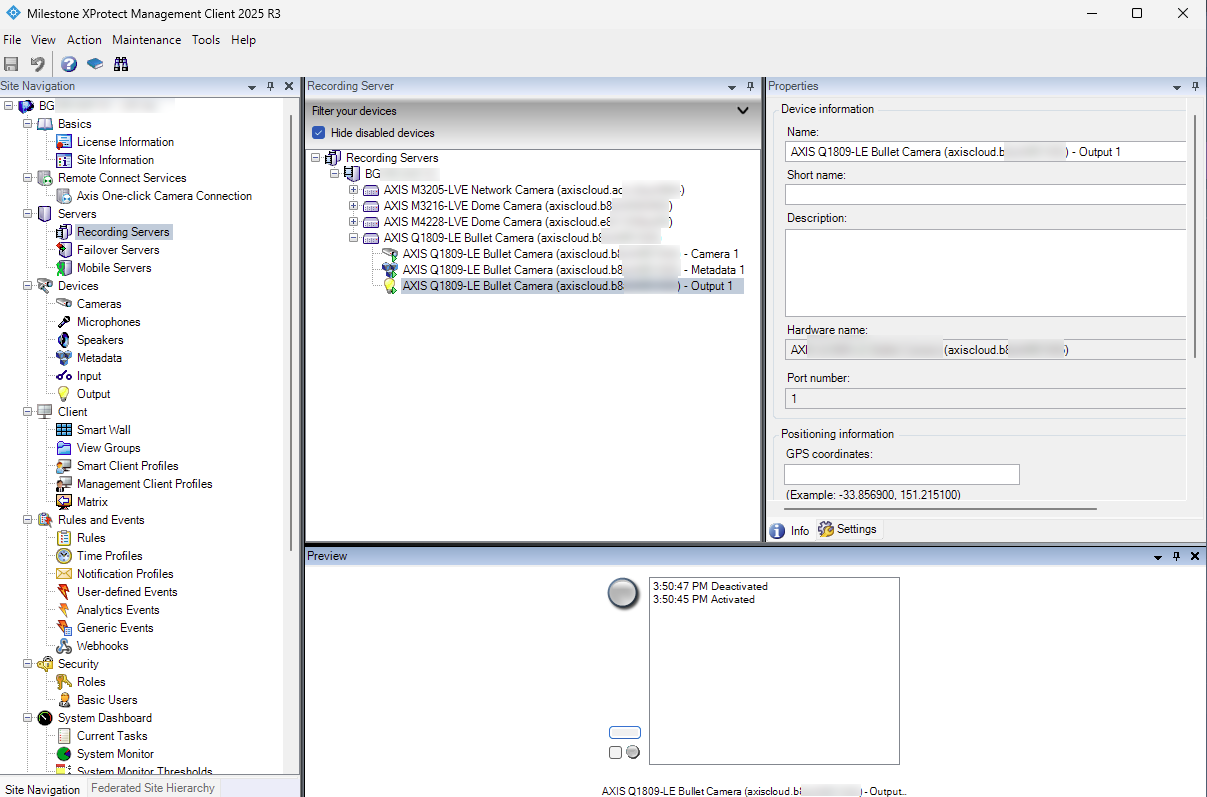 |