Creating Device Metadata Configuration
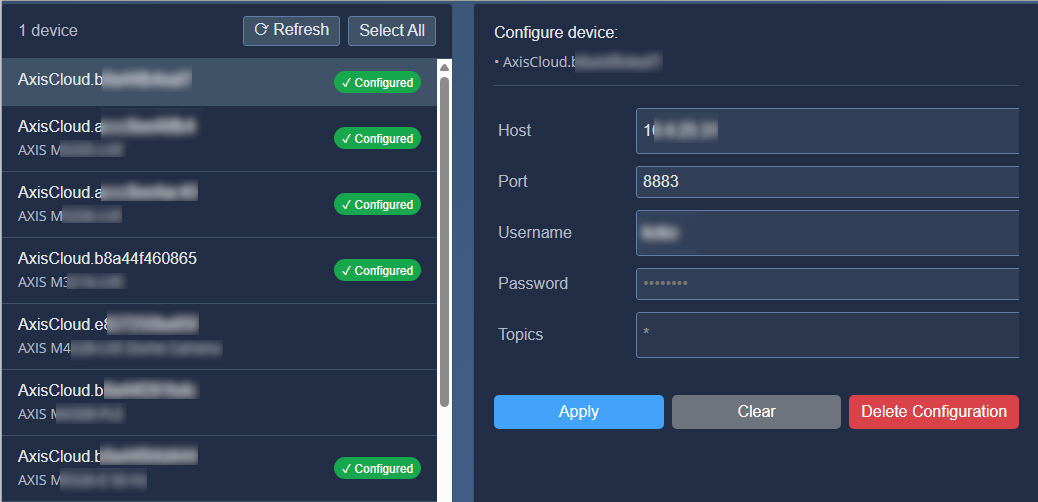
On the Metadata & Events page, you can configure MQTT settings for one or more devices.
Open the Metadata & Events page.
Select one or multiple devices from the list on the left.
You can select devices individually or use .
Configure the MQTT client settings.
The MQTT client can be locally hosted or remote.
By default, Axis Cloud Access provides a built‑in MQTT client that uses the local IP address and port defined in the device configuration.
Click to save the configuration.
After applying the configuration, proceed to the Devices page to connect the devices (see: Connecting Devices for Metadata ).
 |