Connecting Devices for Metadata
After configuring metadata, devices must be connected to start publishing metadata.
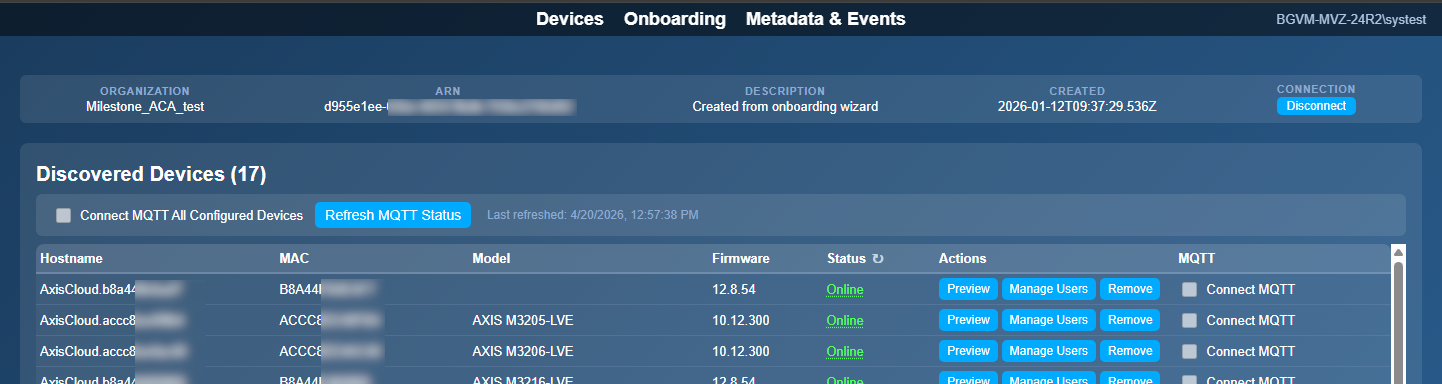
Go to the Devices page.
To connect devices:
Select the check box next to a device to connect it individually, or
Select the Connect MQTT All Configured Devices check box at the top of the page to connect all devices at once.
Verify that the MQTT connection status updates accordingly.
Once connected, devices start sending metadata based on the configured topics.
 |