Activate login authorization
Login authorization requires a user to log in on XProtect Smart Client or Management Client, and another user who has an elevated status, such as a supervisor, to provide approval.
You set up login authorization on the roles. Users associated with the role are prompted for a second user (a supervisor) to authorize their access to the system.
Note
Login authorization is currently not supported by mobile client, and XProtect Web Client, and any Milestone Integration Platform SDK (MIP SDK) integrations.
To turn on login authorization for a role, follow these steps:
Open Management Client.
Expand the Security node, select Roles, and then select the relevant role.
Select the Login authorization required check box.
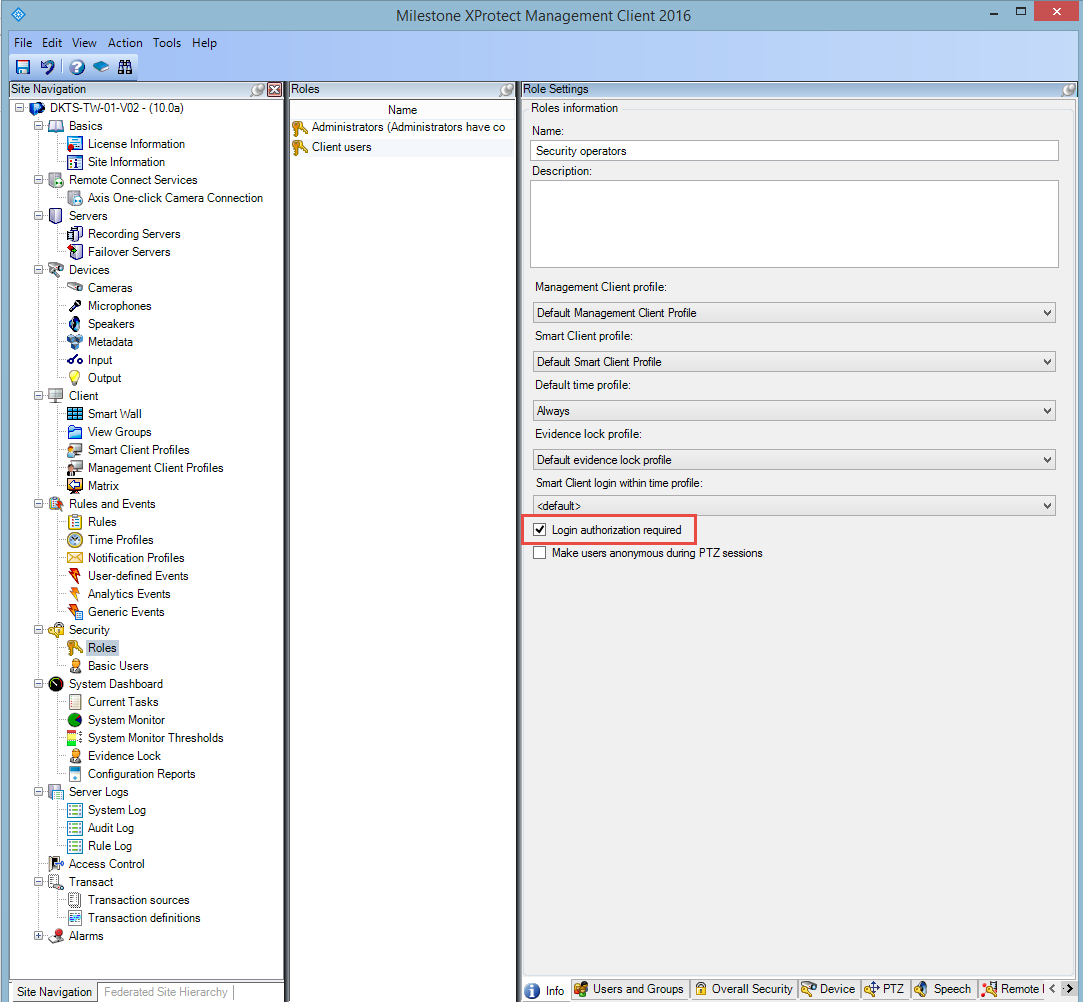
To configure the roles that authorize and grant access, follow these steps:
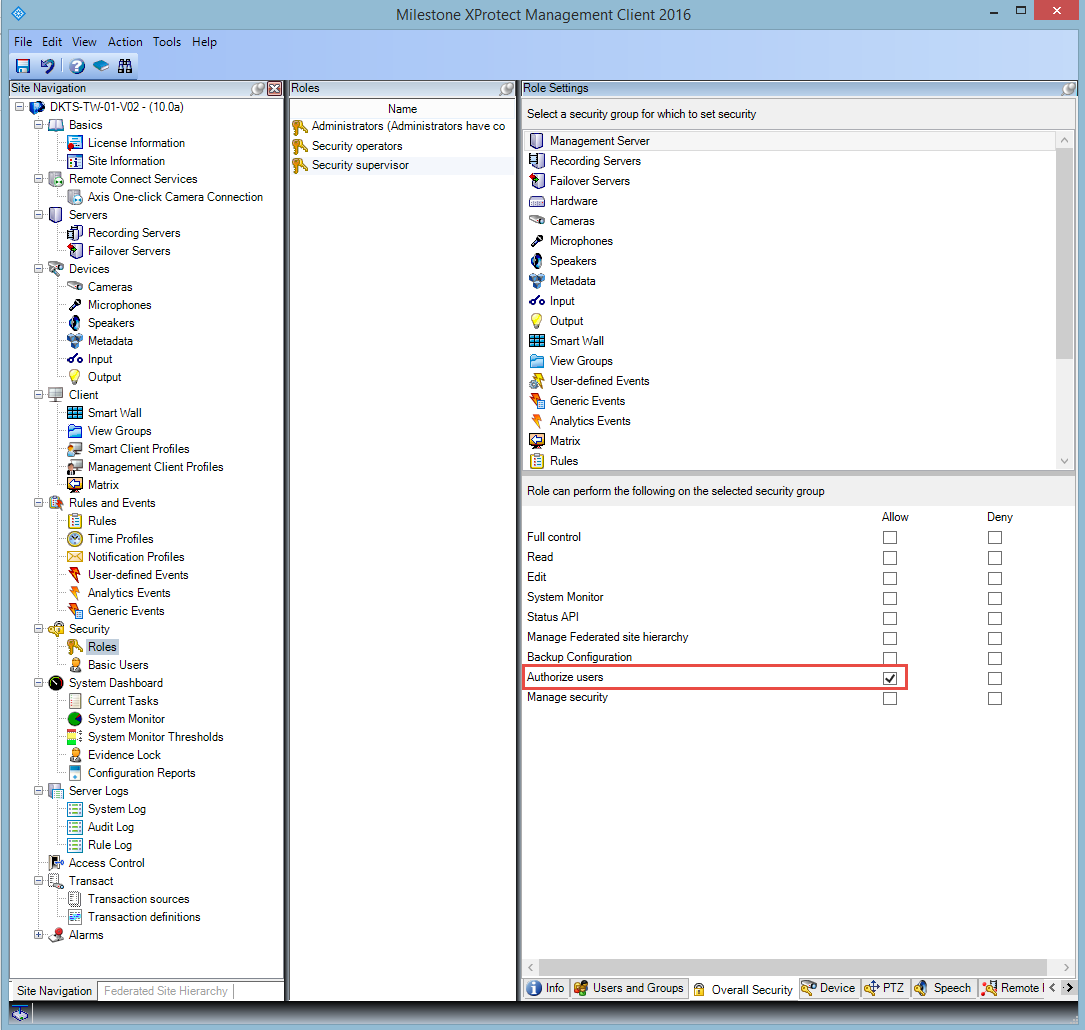
To create a new role, for example "Security supervisor", expand the Security node, right-click Roles and create a new role.
Click the Overall Security tab, and select the Management Server node.
Select the Allow check box next to the Authorize users check box.
Learn more
The following control(s) provide additional guidance:
NIST SP 800-53 AC-2 Account Management
NIST SP 800-53 AC-6 Least Privilege
NIST SP 800-53 AC-17 Remote Access
NIST SP 800-53 CM-6 Configuration Settings