Disable storing of passwords
XProtect Smart Client provides the option to remember passwords for users. To reduce the risk of unauthorized access, Milestone recommends that you do not use this feature.
To turn off the remember password feature, follow these steps:
Open Management Client.
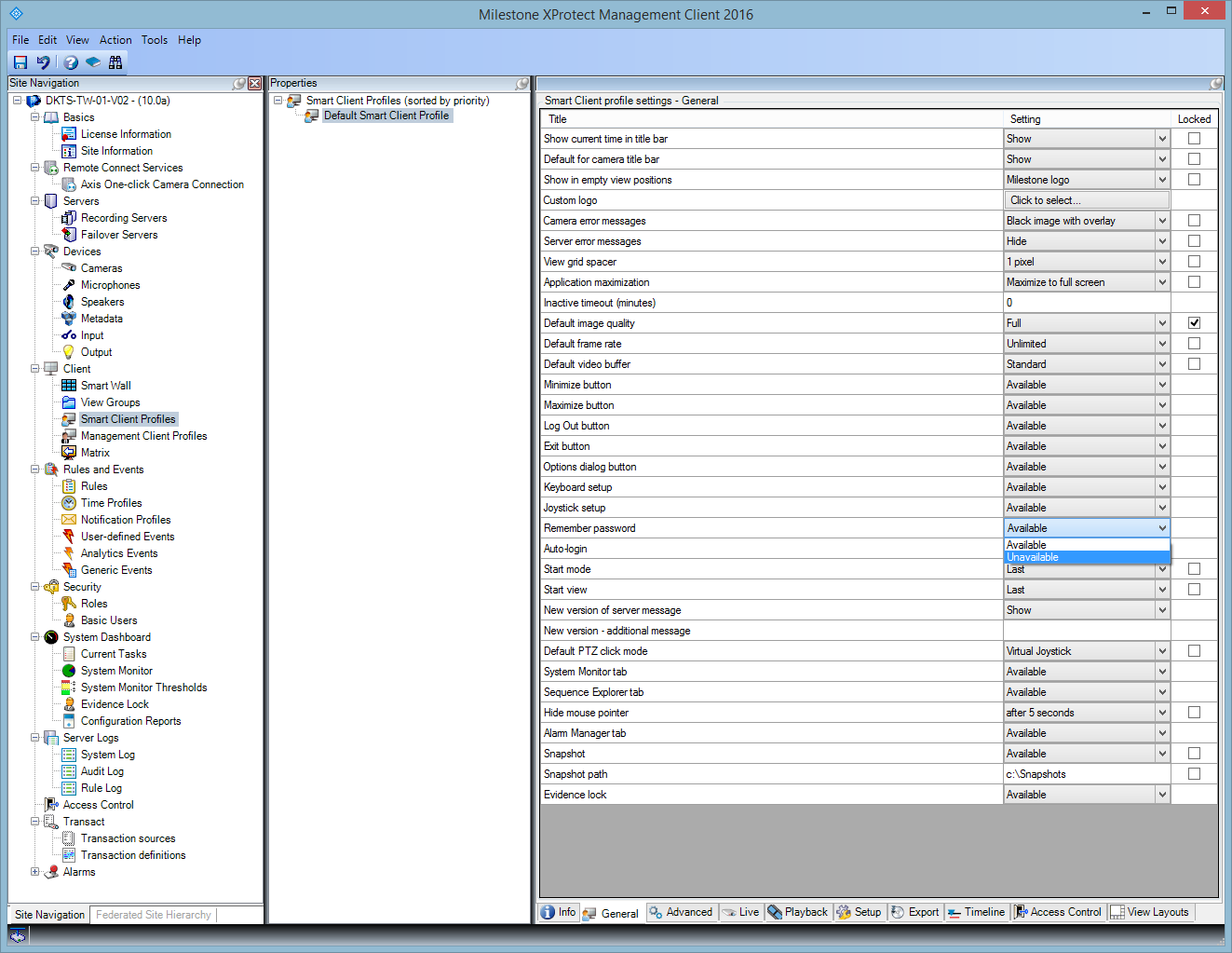
Expand the Client node, select Smart Client Profiles, and then select the relevant Smart Client profile.
In the Remember password list, select Unavailable.
Note
The Remember password option is not available the next time a user with this profile logs into XProtect Smart Client.
Learn more
The following control(s) provide additional guidance:
NIST SP 800-53 AC-2 Account Management
NIST SP 800-53 CM-6 Configuration Settings
NIST SP 800-53 IA-1 Identification and Authentication Policy and Procedures