The File Workflow dashboard
The dashboard contains workflow commands to be executed on the selected files in the Tree pane. These commands may vary depending on licensed/integrated workflows.
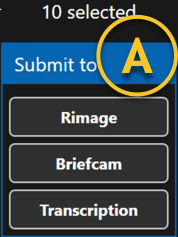
A | File Workflow options | You can select one or many files and/or folders. Based on that selection, submit those files to any specified workflow option in the list (i.e. BriefCam for analytics or transcription). |
The difference between sharing a case and submitting a case is that when you share a case, it will be encrypted and password-protected for transport to another agency or department. When you submit a case, it will send the files to a backend Digital Evidence Management, Records Management, or Case Management system. The backend will depend on the customers’ preferences. Dynamic Workflow Solutions will work with any backend.