Uploading Identities
Tip
It is recommended to use images where the face is in the center of the image.
It is recommended to upload images with not too much context around the face; the face should not be less than one quarter of the image.
To upload images of people:
Open the Face Recognition filter.
Click the UPLOAD IDENTITIES button.
The supported file types for images are .png, .jpg, .gif, .jpeg, and .bmp.
Select whether you will add images of the same identity or multiple identities.
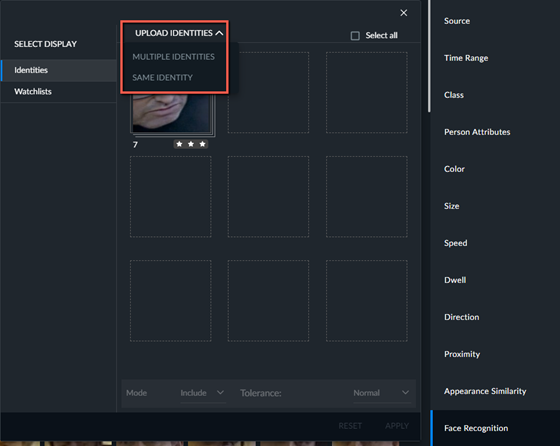
Select the files that you want to upload and click Open.
Note that 1-star images cannot be added. If you try to add a 1-star image, you will see a warning
 icon. These images will be ignored.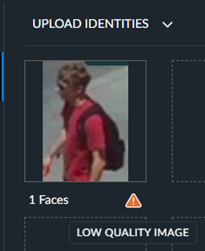
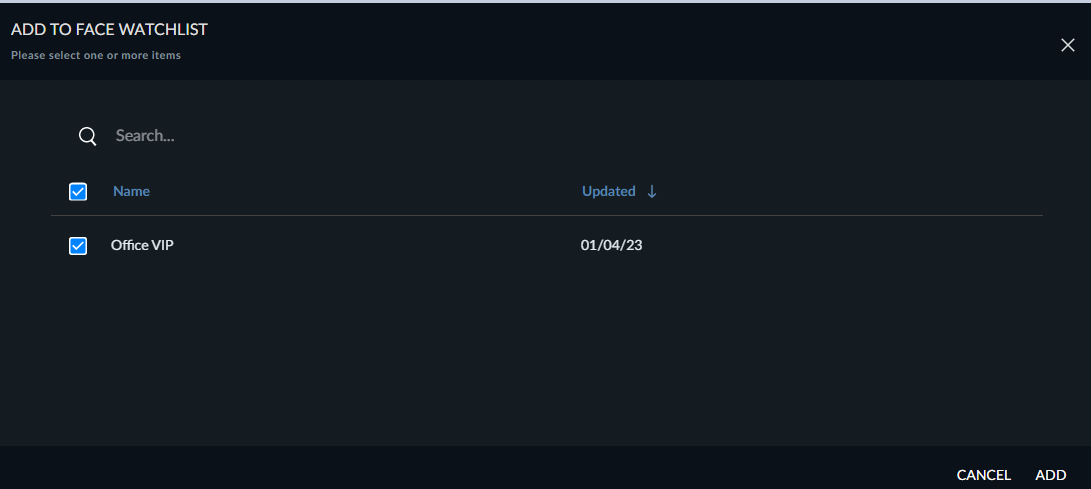
To add the image to a watchlist, click on the image and click the Add to watchlist icon.
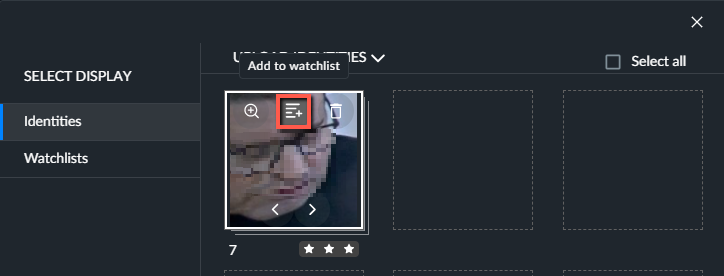
Select a face watchlist and click ADD. If there are no watchlists, you first need to add one. For additional information, see the Watchlists section.