Creating a People Counting Rule
To create a people counting rule (when using the Next-Gen engine):
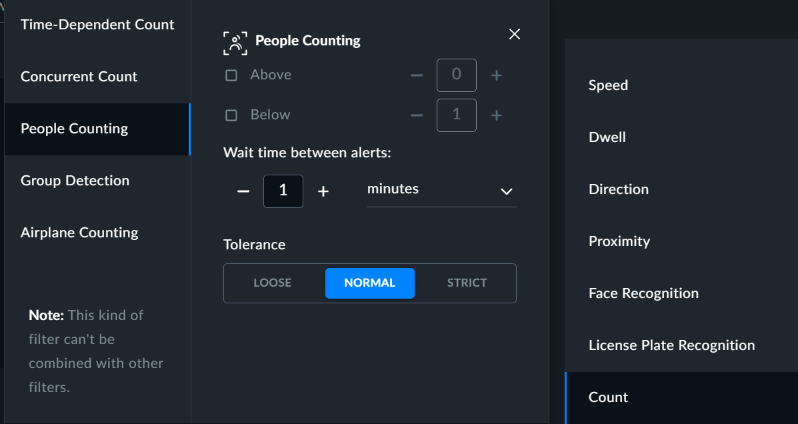
Select the Count filter and then People Counting. Note that this option cannot be combined with other filters.
Select either the Above or the Below checkbox.
Set the number of people in the selected checkbox.
Click APPLY.
If you are using the Windows-based OX5 engine, and want to create a People Counting rule, see: People Counting Alerts.