Licensing Issues
Most license issues are related to the validation of a feature.
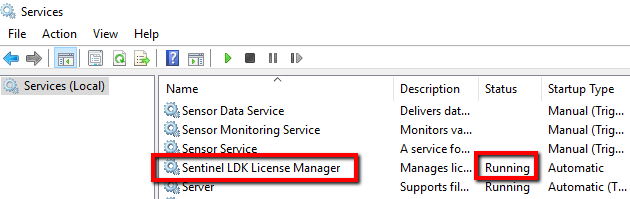
Check that the HASP service (Sentinel LDK License Manager service) is up and running.
Try checking the VSServer log for the feature that was not validated.
Check that the HASP drive is installed by going to the browser and trying to access localhost:1947.
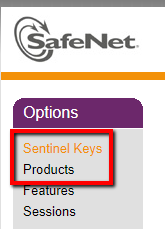
In the browser, go to localhost:1947, check that the installed sentinel keys are listed properly and that none of the products have expired.
See also:
Why Is the License Not Working Over the Network?
Why am I getting the EMS_APPLICATION_ERROR 999 error when I try to activate the license?
Why am I getting the EMS_APPLICATION_ERROR 1104 error when I try to activate the license?
What should I do if the license becomes broken?
Why is the License Activation Tool crashing?
Why does the license activation tool appear with a blank UI?