Why does the license activation tool appear with a blank UI?
Sometimes a .NET app doesn’t load properly and instead it displays a blank window rather than the full graphic view (see sample below) and stops responding. This is called a Blank WPF window.
This is related to the graphic HW acceleration settings, or the current driver installed.
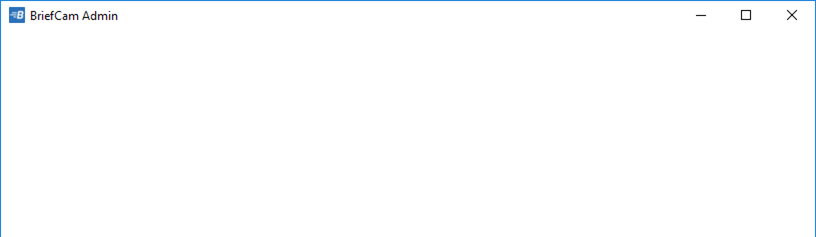
To resolve this issue:
Check if the VGA cable is connected to the GPU card output rather than the built-in VGA connector.
Check if the current driver is up to date.
Once you carried out steps 1 and 2, disable the HW acceleration via the registry:
Open
regedit.Go to the following path:
HKEY_CURRENT_USER\SOFTWARE\Microsoft\Avalon.Graphics.On the right-hand window look for the word key DisableHWAcceleration.
If the word key does not exist, create one by right-clicking and choosing String Value.
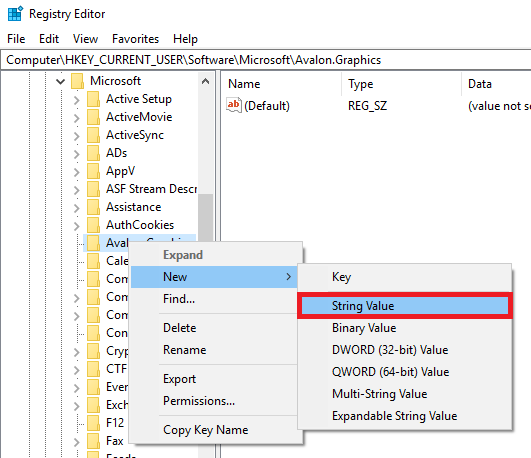
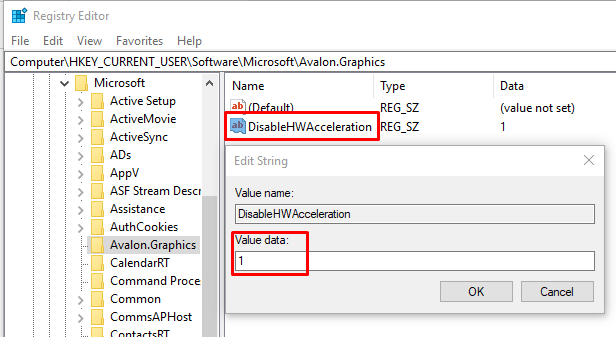
Name the new key
DisableHWAcceleration.Set the value to
1.
Close and reopen the desired .NET application.