Activate actions
 | "I want to open the front door to our visitors at the push of a button." |
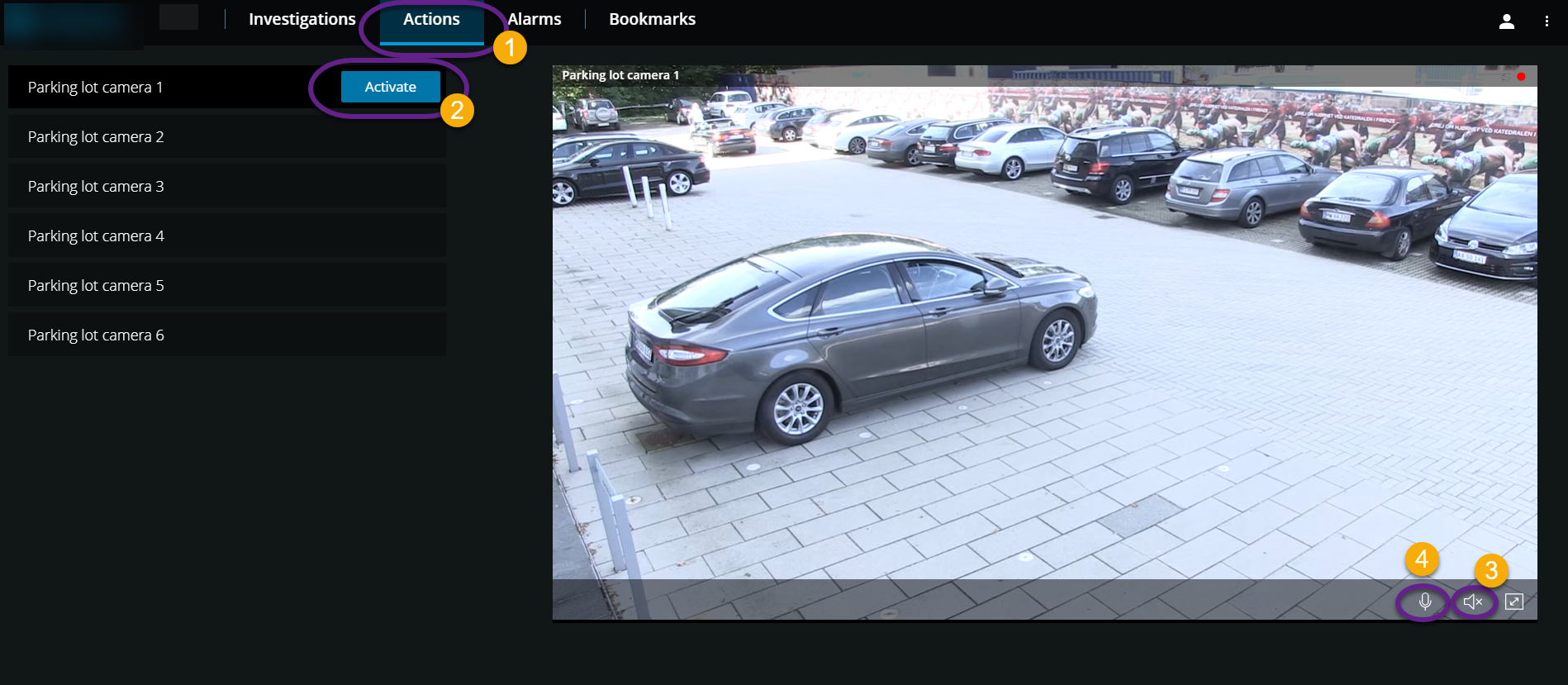
You can activate actions which trigger events in your video surveillance system. For example, when you open the front door (action), Camera 3 starts recording video (event).
On the Actions  tab:
tab:
Find the action that you want to activate.
Click Activate
 , and, for example, the front door opens.
Optional. Start or stop listening to live incoming audio
 (Only for cameras that have microphones attached).
Optional. Click and hold
 to start push-to-talk. Release the icon
  to end transmitting audio
  (Only for cameras that have speakers).
You can also activate actions in live mode when viewing live video (see Viewing live video).
What are some examples of actions?
Open and close doors.
Turn lights on and off.
Activate and deactivate sirens.
Note
To view and activate actions, ask your system administrator to set up actions and to give you sufficient user permissions.