Change OpenStreetMap tile server
Steps:
On the global toolbar, select Settings and more
 and then Settings
  .
.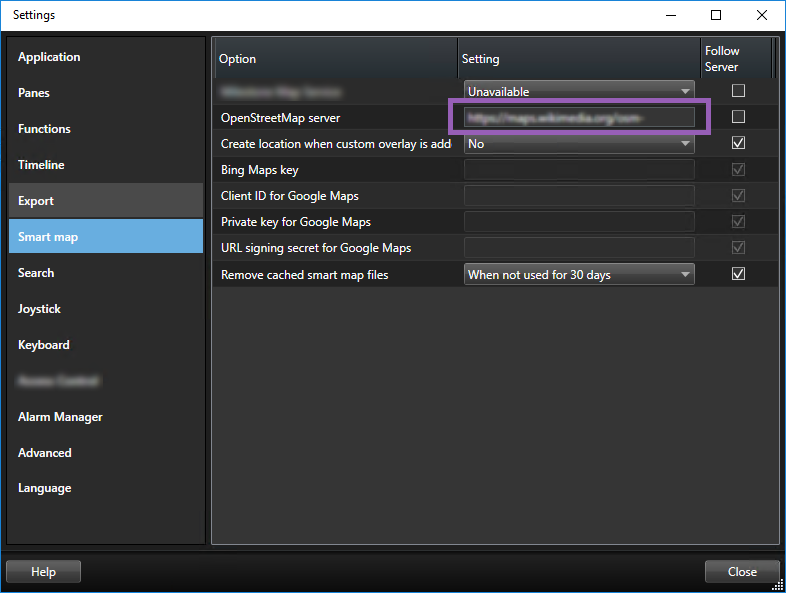
In the left section, click Smart map.
In the OpenStreetMap server field, do one of the following:
Enter the server address. If the field is grayed out, it has been locked server-side
To use the server specified server-side, if any, select the Follow server check box
Click Close. Next time you load your smart map, it will use the OpenStreetMap server that you have specified.
Important
If no server address is specified, or the server address is invalid, then OpenStreetMap is not available as a geographic background.