View encryption status to clients
To verify if your recording server encrypt connections:
Open the Management Client.
In the Site Navigation pane, select Servers > Recording Servers. This opens a list of recording servers.
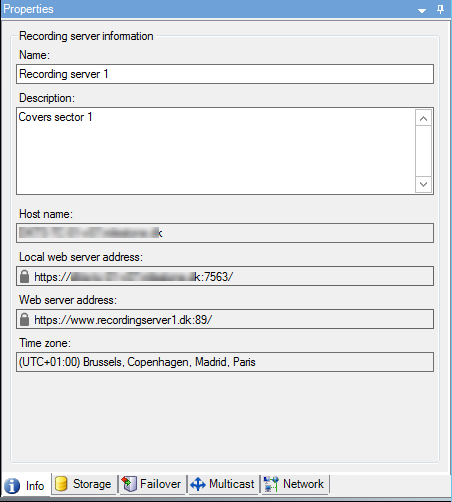
In the Overview pane, select the relevant recording server and go to the Info tab.
If encryption is enabled to clients and servers that retrieve data streams from the recording server, a padlock icon appears in front of the local web server address and the optional web server address.