Set site properties
You can view and, possibly, edit properties on your home site and its child sites.
In the Management Client, in the Federated Site Hierarchy pane, select the relevant site, right-click, and select Properties.
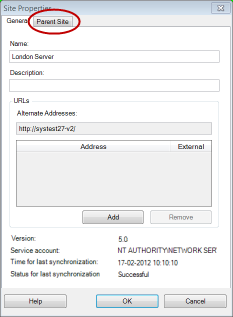
If needed, change the following:
Parent Site tab (available on child sites only)
Note
Due to synchronization issues, any changes made to remote children might take some time to be reflected in the Site Navigation pane.