Failover Servers (Servers node)
Info tab properties (failover server)
Specify the following failover recording server properties:
Name | Description |
|---|---|
Name | The name of the failover recording server as it appears in the Management Client, logs and more. |
Description | An optional field that you can use to describe the failover recording server, for example which recording server it takes over from. |
Host name | Displays the failover recording server's host name. You cannot change this. |
Local web server address | Displays the local address of the failover recording server's web server. You use the local address, for example, for handling PTZ camera control commands, and for handling browsing and live requests from XProtect Smart Client. The address includes the port number that is used for web server communication (typically port 7563). If the failover recording server takes over from a recording server that uses encryption, you also need to prepare the failover recording server to use encryption. If you enable encryption to clients and servers that retrieve data streams from the recording server, a padlock icon appears, and the address includes https instead of http. |
Web server address | Displays the public address of the failover recording server's web server on the internet. If your installation uses a firewall or NAT router, enter the address of the firewall or NAT router so that clients that access the surveillance system on the internet can connect to the failover recording server. You specify the public address and port number on the Network tab. If you enable encryption to clients and servers that retrieve data streams from the recording server, a padlock icon appears, and the address includes https instead of http. |
UDP port | The port number used for communication between failover recording servers. Default port is 8844. |
Database location | Specify the path to the database used by the failover recording server for storing recordings. You cannot change the database path while the failover recording server is taking over from a recording server. The system applies the changes when the failover recording server is no longer taking over from a recording server. |
Multicast tab (failover server)
If you are using failover servers, and you have enabled multicasting of live streaming, you must specify the IP address of the network interface card you are using, on both the recording servers and the failover servers.
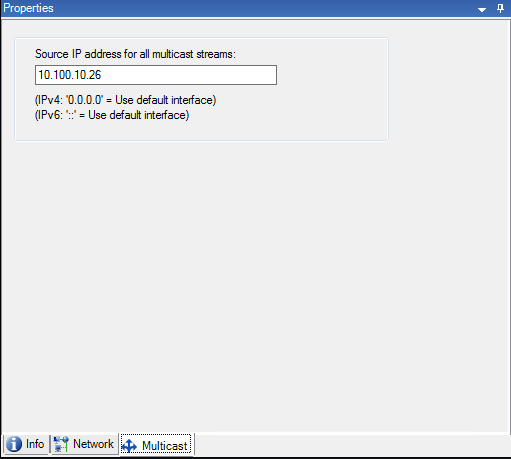
For more information about multicasting, see Enable multicasting for the recording server.
Info tab properties (failover group)
Field | Description |
|---|---|
Name | The name of the failover group as it appears in the Management Client, logs and more. |
Description | An optional description, for example the server's physical location. |
Sequence tab properties (failover group)
Field | Description |
|---|---|
Specify the failover sequence | Use Up and Down to set the wanted sequence of regular failover recording servers within the group. |