System Monitor Thresholds (System Dashboard node)
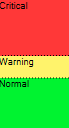
Example of thresholds between the three states
You can change thresholds for servers, cameras, disks, and storage, and all thresholds have some common buttons and settings.
Common user interface elements
Buttons & settings | Description | Unit |
|---|---|---|
Calculation interval | Often there are short outages in the connection to your different hardware. If you specify a calculation interval of 0 seconds, all these short outages will trigger alerts about changes in hardware state. Therefore, define a calculation interval of some length. If you define a one (1) minute calculation internal, it means that you only get alerts if the average value for the whole minute exceeds the threshold. With the correct calculation interval setting, you will not receive false-positive alerts but only alerts about sustained issues with, for example, CPU usage or memory consumption. To change the values of calculation intervals, see Edit thresholds for when hardware states should change. | sec |
Advanced | If you select the Advanced button, you can define thresholds and calculation intervals for individual servers, cameras, disks, and storage. For more information, see below. | - |
Create rule | You can combine events from System Monitor and rules to trigger actions, for example, when a server's CPU usage is critical, or a disk is running out of free space. For more information, see Rules and events and Add rules. | - |
Server thresholds
Threshold | Description | Unit |
|---|---|---|
CPU usage | Thresholds for the CPU usage on the servers you monitor. | % |
Memory available | Thresholds for RAM in use on the servers you monitor. | MB |
NVIDIA decoding | Thresholds for the NVIDIA decoding usage on the servers you monitor. | % |
NVIDIA memory | Thresholds for NVIDIA RAM in use on the servers you monitor. | % |
NVIDIA rendering | Thresholds for the NVIDIA rendering usage on the servers you monitor. | % |
Camera thresholds
Threshold | Description | Unit |
|---|---|---|
Live FPS | Thresholds for cameras' FPS in use when live video is shown on cameras you monitor. | % |
Recording FPS | Thresholds for cameras' FPS in use when the system is recording video on cameras, you monitor. | % |
Used space | Thresholds for the space used by cameras you monitor. | GB |
Disk thresholds
Threshold | Description | Unit |
|---|---|---|
Free space | Thresholds for available space on disks you monitor. | GB |
Storage thresholds
Threshold | Description | Unit |
|---|---|---|
Retention time | Threshold showing a prediction for when you run out of space on your storage. The state shown is based on your system setup and is updated twice a day. | Days |