Typical onboarding states
During onboarding, a device may transition through the following states:
PREPARING
Initial validation and preparation of the device information.
FETCH_DEVICE_INFO
Device information is retrieved from Axis Cloud.
REGISTERED
The device is successfully registered in the Axis Cloud organization. Waits until Axis Cloud Connect is activated on the device.
CONFIGURING / INSTALLING
Required services and cloud configuration are applied to the device.
FINISHED
Onboarding is complete, and the device is ready for use.
If a problem occurs, the status may show ERROR or Failed on FINISHED
Monitoring onboarding status
From the Onboarding page:
Click to refresh the status of the current onboarding session.
Click to see the onboarding state of all devices you have attempted to onboard.
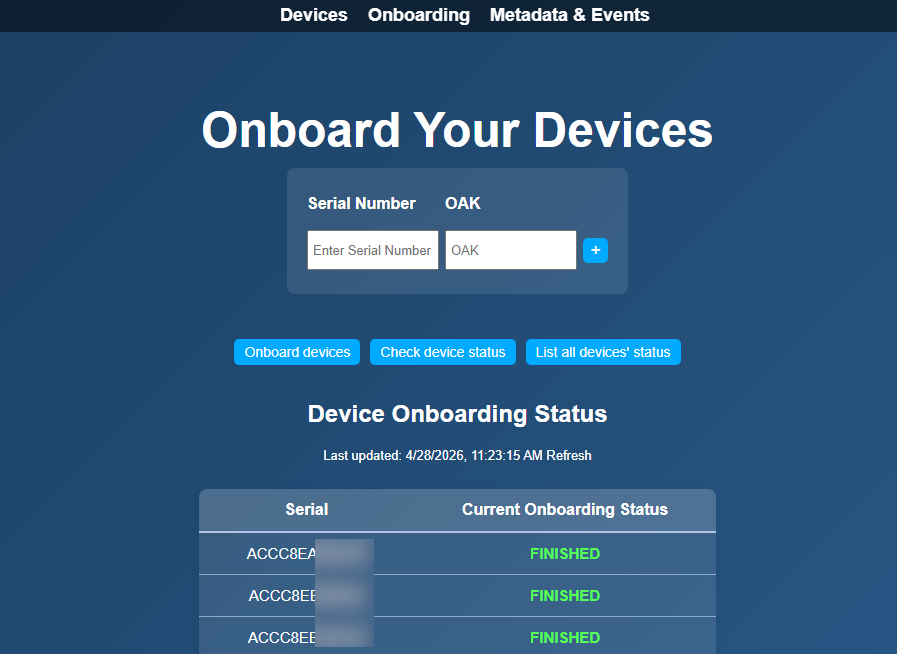
From the Devices page:
Onboarded devices appear under Discovered Devices
The Status column reflects the current onboarding state (for example: Preparing, Configuring, Online)
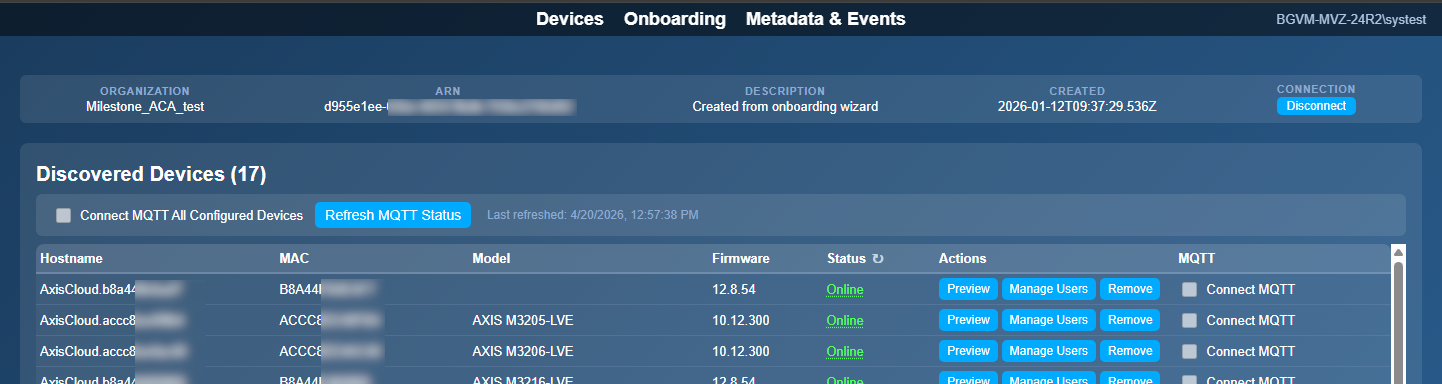
Both views show the same underlying progress and can be used interchangeably.