The Case view
Using the Case View, you can add new cases, view your cases, and archive or rename your cases.
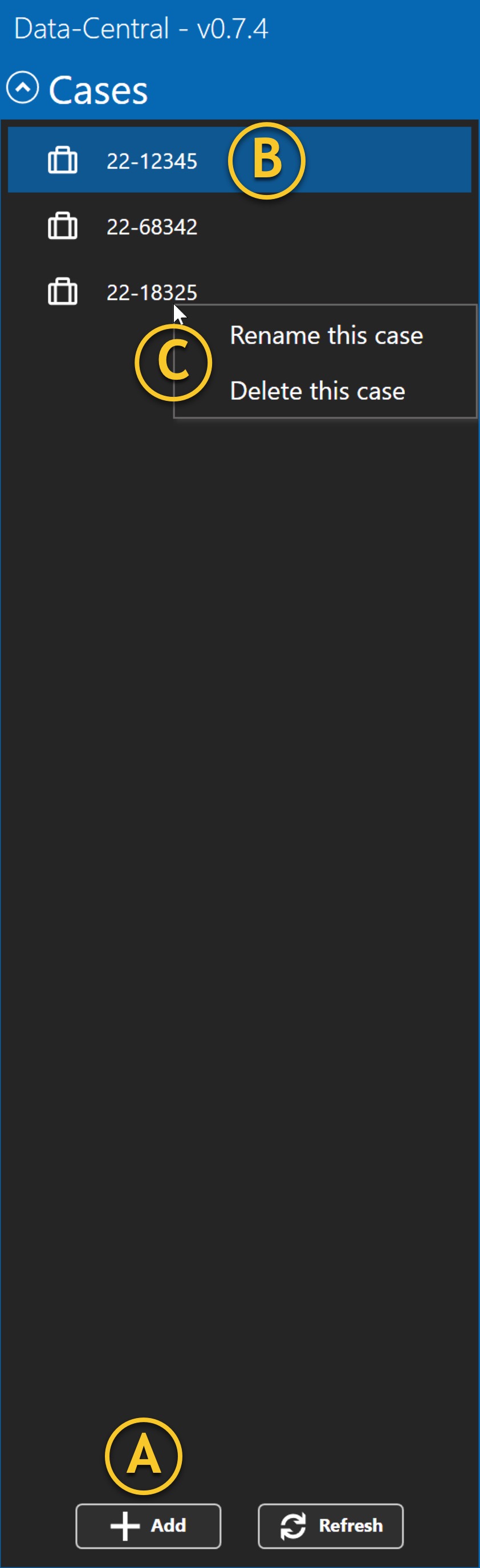
A | Add case | Clicking the +Add button will give you the option to create and name a new case or ingest a Case-Pak. |
B | View case | When you select or highlight a case, the details will be displayed in the Tree pane. |
C | Rename or delete case | You can right-click on a case, and a pop-up window will appear, giving you the option to Rename this case or to Delete this case. |