Specify a customer name for a license
Specify a customer name to see how your licenses are distributed. You can view the list of the customers you created on the Customers page.
If you do not specify a customer name during the license registration, the customer becomes Unspecified in the Licenses list.
Note
You must specify a customer name before you download or email the initial .lic file.
Log in to Milestone Customer Dashboard (https://online.milestonesys.com/).
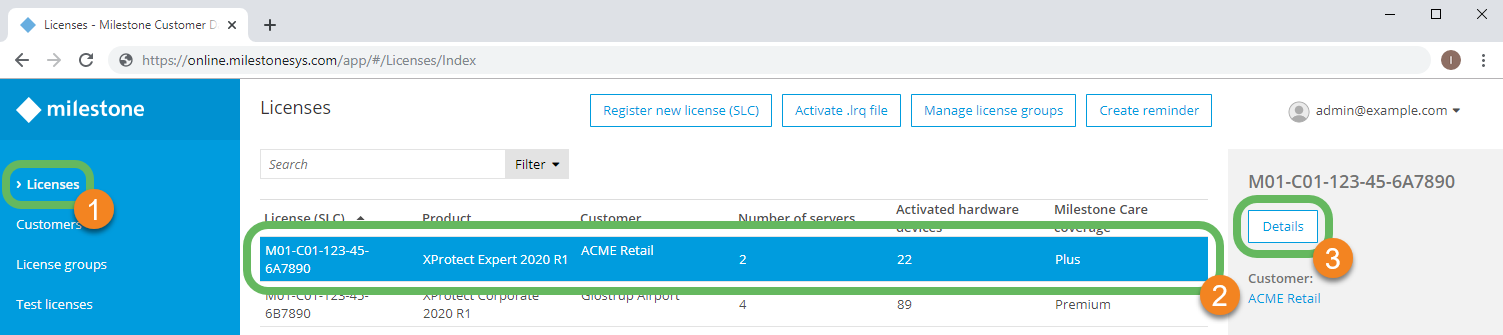
In the main menu, select Licenses
 .
.Locate the license for which you want to specify a customer.
Note
Search for a specific license by SLC using the Search field.
Select the license
 and select Details
 .
.
On the Details page, select the pencil icon
 next to the Customer entry
  .
.Select a customer from the list
 or select Add customer
  to specify a new customer.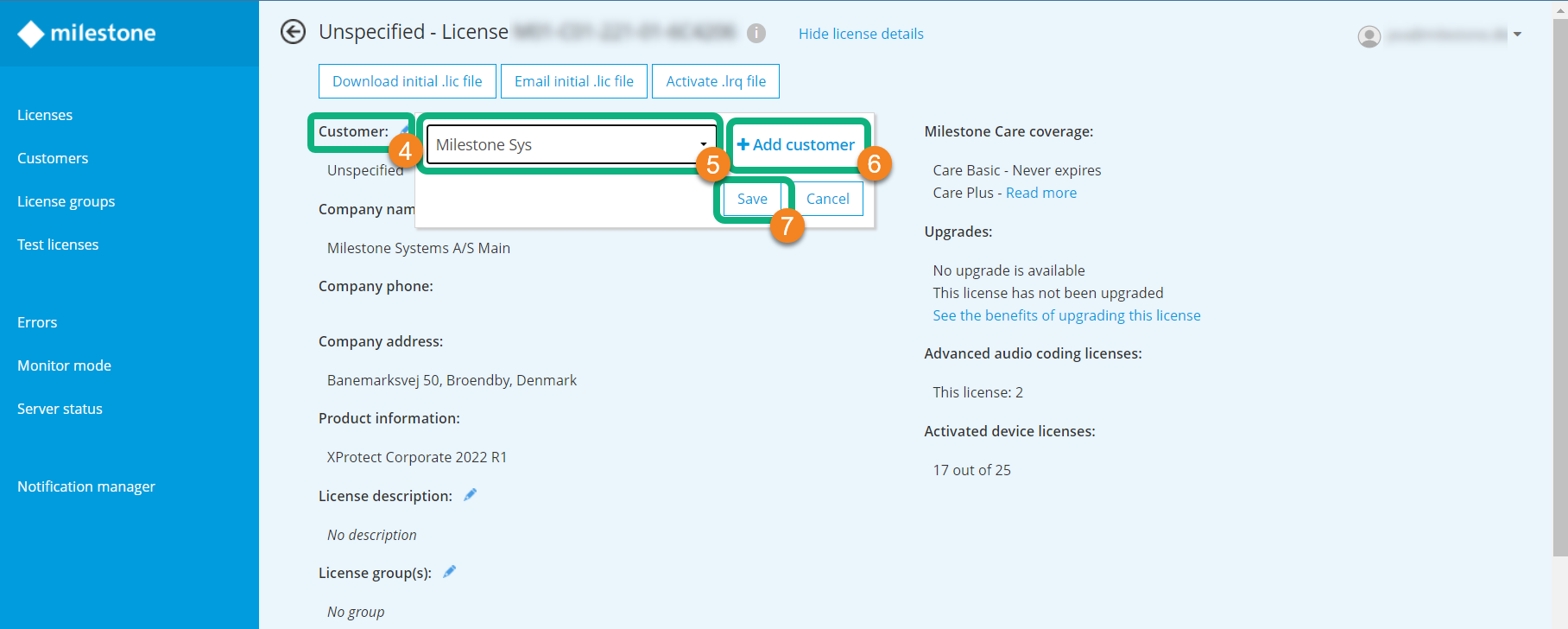
Select Save
 to apply the changes.