

Search for recorded video
Click here to download poster.
When you need to investigate an incident, you can search for the video on the Search tab.
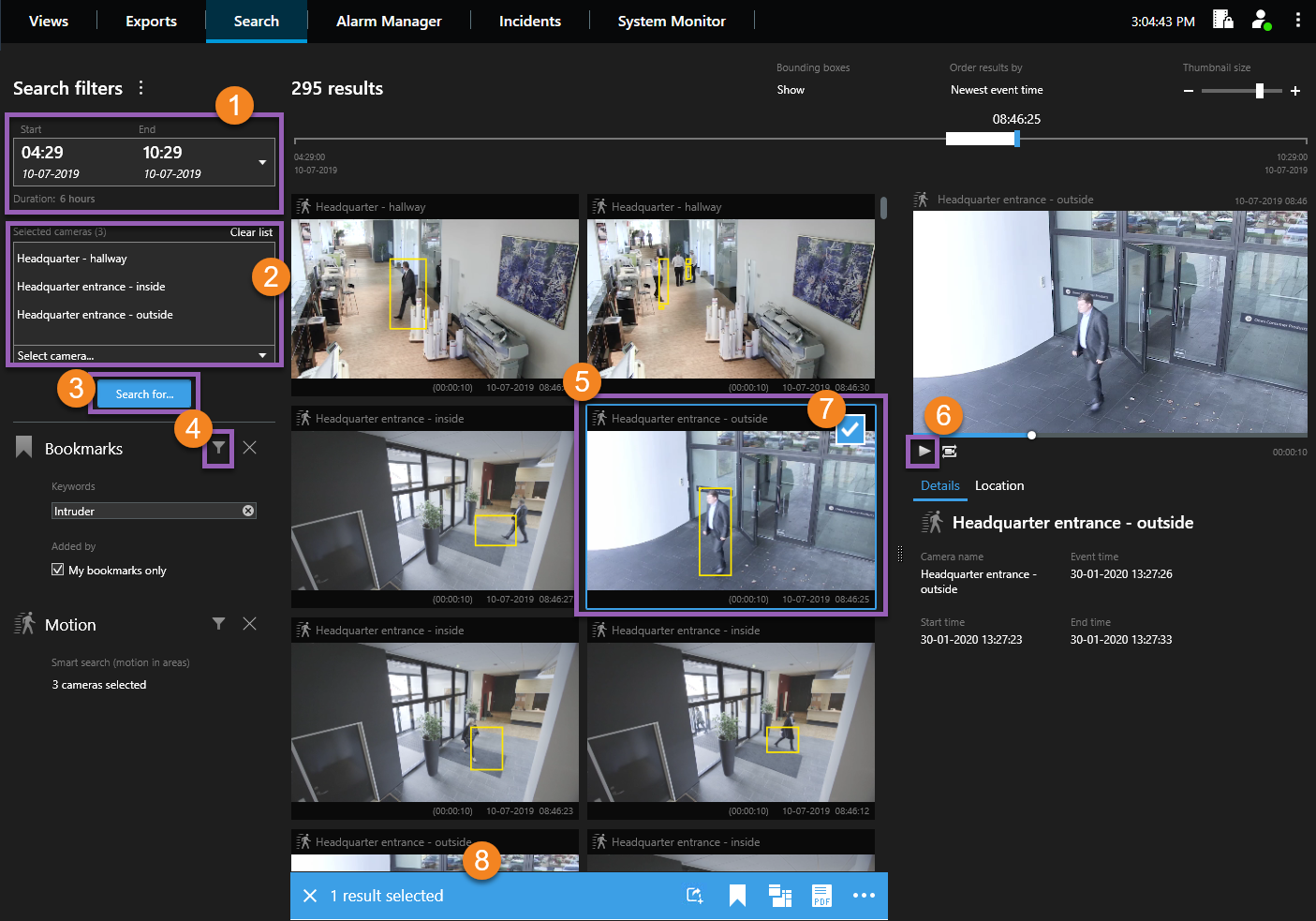
| Steps | Action |
|---|---|

|
Define the time interval. |

|
Add the cameras with the video you need or choose a view to add all its cameras. |

|
Select one or more search categories. |

|
Perfect the search results. For example, if you select the search category Motion, you can restrict the search to look for motion only in specified areas of the video. |

|
To see a larger preview of the video and its details, click on the search result. |

|
To view the video, select Play forward. |

|
Select a search result to export, apply bookmarks, or carry out other actions. To select all search results, select one and press Ctrl+A. |

|
Select what you want to do. For example, bookmark the video and export it as evidence. |
 Watch a quick video tutorial?

SC_PPP_SearchForVideo_en-US.pdf