

View live and recorded video
Click here to download poster.
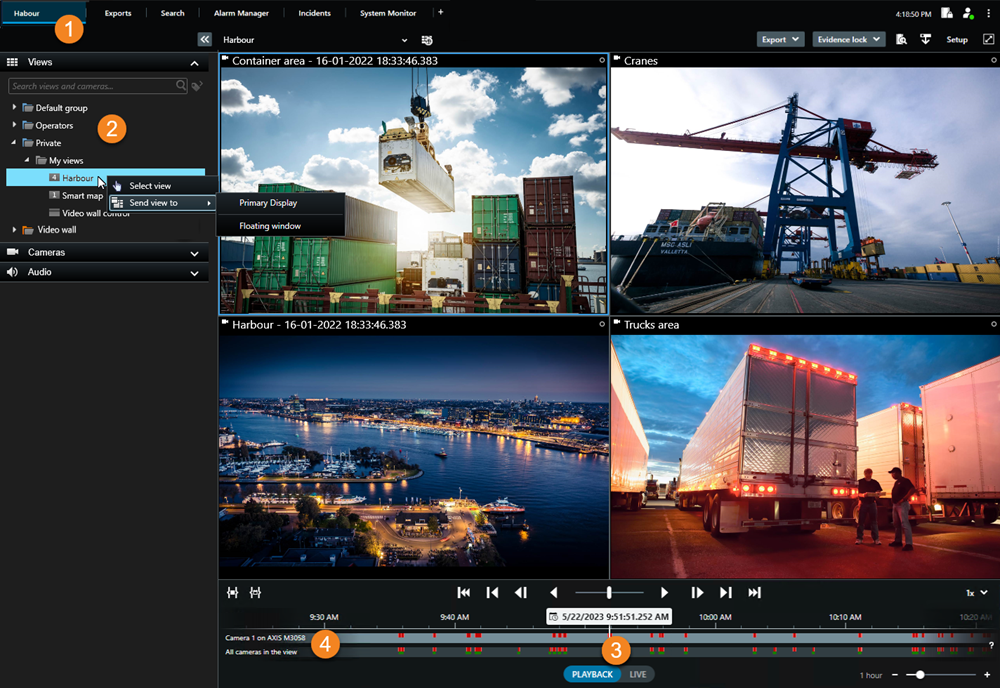
To view either live or recorded video, you select a view with the video you want to watch.
| Steps | Action |
|---|---|

|
Select the main views tab. |

|
Select the view that contains the video you want to watch. |

|
Toggle between live and recorded video. |

|
In playback mode, drag the timeline tracks to move through the recorded video. The red markings on the tracks indicate that there are recordings available. |
To maximize a video to see its details, select the camera and double-click or press Enter. To minimize, double-click or press Enter again.
 Watch a quick video tutorial?
Click or scan:

SC_PPP_ViewVideo_en-US.pdf