Husky Assistant
Husky Assistant Properties
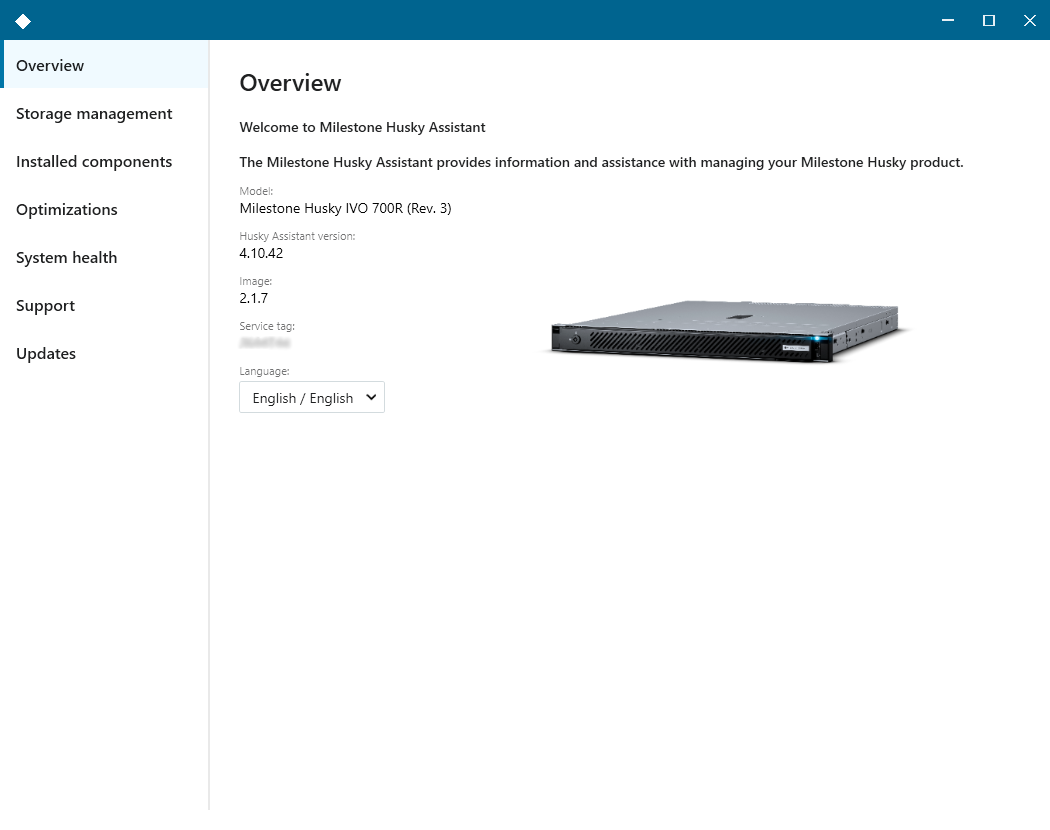
Choose your language
To select your preferred language:
Open Husky Assistant.
On the Overview tab, select your preferred language from the list of available languages.
Note
Husky Assistant chooses English by default. All language changes require a restart of Husky Assistant.
Storage management
Check RAID status
To check the type and status of the data RAID configuration:
Select the Storage management tab.
The type and status of the current RAID array appears. The different types and statuses are:
Choose RAID type
For more information, see Monitor and manage your system
Change RAID type
To change the RAID array type:
Check if the current RAID array status is Good and click Configure.
Accept any user account control warning and click Next.
Select the type of RAID that you would like to configure for data storage and click Apply.
Important
Read the warning stating that all data will be deleted if you continue. Your XProtect system records no video during the configuration.
Click Format to accept the data deletion and start the configuration of the data RAID storage.
A summary window of the RAID configuration appears. Check the type and status of your current RAID array.