Camera Characteristics
There are several camera characteristics that can affect the performance of the video analytics engine.
In general, BriefCam depends on the quality of video it receives from the VMS – any case of stability or quality issues resulting from the VMS will likely affect results in BriefCam as well.
Camera Types
The type of cameras that are installed affect the performance of the object extraction, classification and face recognition.
As a general note, it is recommended that color cameras be used wherever possible. In addition, it is recommended to disable motion detection on the cameras or create clips that are always longer than one minute.
Fisheye Cameras (Distorting Lenses)
Fisheye cameras, which provide a 360, 180 and even 120 degree view of the scene, produce lower quality results than regular videos (some objects may seem upside-down, some will be distorted). This is especially true when calculating proximities, size, and speed, since the geometry of the scene will be heavily distorted and will not be extracted by BriefCams algorithms – making proximity information unavailable.
Thermal and Infrared Cameras
Thermal and infrared (IR) cameras, which are useful in poorly lit areas or at night, can detect people, but with lower quality results than with ”regular” cameras, especially when extracting features such as detailed classification (e.g. trucks, vans), person attributes including gender, and, of course, color extraction.
Both thermal and infrared cameras might not detect vehicles well. For thermal videos, this is because the vehicles’ heat-radiating areas might cause them to appear differently than vehicles in “normal” videos. For infrared video (which implies that the video was shot at night), detection of vehicles at night is problematic because the vehicles’ headlights might dazzle the camera and make detection and classification harder. This might also be the case for other objects that reflect infrared lights – as infrared video is often shot using IR active illumination.
In thermal videos, other filters, such as Person Attributes, will not operate well because the image of a person will not have any details. In infrared videos, some Person Attributes might work, for example, a handheld bag will still look like a handheld bag.
In both infrared and thermal videos, Color filters will not work because the image is usually grayscale.
Surveillance Cameras
Some surveillance (CCTV) cameras produce smaller and low quality face images, resulting in poorer results for face recognition.
PTZ Cameras
A PTZ camera, which constantly moves or scans the scene, would provide a video that is unusable for BriefCam, due to the inability to identify the background which is changing constantly. However, the video from a PTZ camera that is stationary most of the time, but occasionally move to another position, can be processed. Note that processing results of the video footage recorded during the position change are not usable, but the processing recuperates when the camera stabilizes in its new position (after 5 minutes).
Camera Placement
CCTV cameras are usually placed at a high vantage point (near the ceiling or on a pole) in order to gain an overview of the scene. This allows to detect and track objects in the scene with minimum occlusions.
Optimal Proximity Accuracy
For optimal proximity accuracy, it is recommended to place the camera so that there is a view of a single ground plane. In order for the proximity functionality to work, the camera should be pointing 10-80 degrees downwards (not horizontal or vertical) with an optimal angle of between 30-45 degrees. The camera should be placed 2.5.-3 meters/8.2-9.8 feet above the ground. If the camera is indoors, it should be placed close to the ceiling. In addition, a fisheye camera (or other distorting lenses) should not be used and the resolution needs to be good enough for human pose detection.
Optimal Face Recognition Accuracy
For face recognition, a good recommendation when using BriefCam, is to place cameras in all entrances and exits, and to position the cameras in such a way that the faces are seen clearly and as close to eye-level as possible with a vertical angle of approximately 30 degrees or less. In addition, it’s best to have the scene set up, when possible, where the people are walking in and out individually and not in groups, such as through a turnstile.
In general, face recognition produces the best results when:
The cameras are positioned at eye level.
The lighting lights the front of objects sufficiently, resulting in a quick shutter speed that produces a crisp image.
The lighting gives good contrast and the faces are not lit from behind.
The focus of the camera is on the area where you expect faces to appear.
The camera is steady to prevent image smearing.
Optimal Face Mask Detection Accuracy
Like in Face Recognition, the best results for face mask detection are achieved when the camera is at eye-level, at a shallow angle, and with no occlusions and good lighting.
Face mask detection requires a captured face quality of at least 1-star. This also means that the face resolution should be more than 40x40 pixels across the face or at least 400 pixels per meter.
Accuracy should be above 90% in scenes with good conditions (Good lighting and resolution. Small pitch and yaw of the faces).
Examples of Various Face Mask Conditions
| bad lighting and resolution | |
 | bad angle (yaw) but good quality | |
 | bad image quality and angle | |
 | bad resolution, quality, and illumination (and a person with stubble) | |
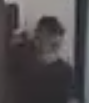 | non-face recognition quality | |
 | good quality (some tough angles) | |
 | ||
 |
