ISS Integration
Note that the information below is regarding the L2 integration (and L2a integration in ISS SecureOS 12.1) carried out by BriefCam. A L3 integration with ISS SecureOS 11.8, 12.0, and 12.1 was carried out by ISS. To obtain this plugin, contact ISS. For help installing and working with the L3 plugins for BriefCam, contact ISS’s Support team at https://support.issivs.com/. For additional information, see Third Party Integrations.
Integration Summary
VMS Partner | Product | Version | Last Tested BriefCam Version | Integration Level | H.265 Support | Distributed VMS Support |
ISS | SecurOs | 12.1 | 2025 R1 SP1 | Real time alerts integration (L2a) A client integration (L3) was created by the VMS partner. | Yes | Yes |
ISS | SecurOs | 12.0 | 2025 R1 SP1 (including Classic and Next-Gen engine) | Integration for on-demand and real-time (L2) A client integration (L3) was created by the VMS partner. | Yes | No |
ISS | SecurOs | 11.8 | 2024 R2 HF4 | Integration for on-demand and real-time (L2) A client integration (L3) was created by the VMS partner. | Yes | No |
ISS | SecurOs | 11.6 | 2024 M1 | Integration for on-demand and real-time (L2) | No | No |
ISS | SecurOs | 11.2 | 2024 M1 | Integration for on-demand and real-time (L2) | No | No |
Ports Required
The following ports should be available when installing the plugin.
Outbound Port # |
8088 and 8888 |
Note
Make sure that these two ports are available on the VMS and on the cameras.
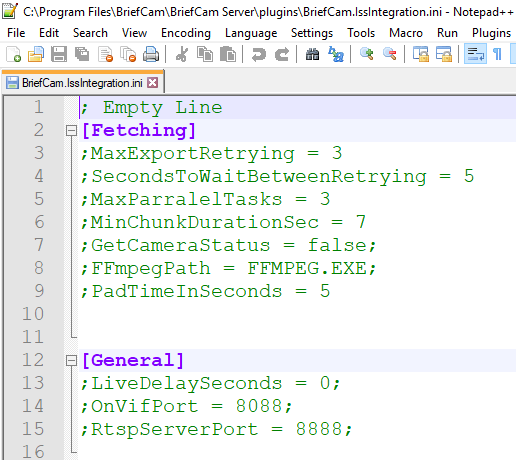
If you set different ports on the VMS or on the cameras, remove the semicolon from the following lines in the BriefCam.IssIntegration.ini file’s General section and enter the relevant port numbers:
OnVifPort = [port number for the camera];
RtspServerPort = [port number for the VMS server];
Configuring ISS for Integration with BriefCam
Important
Service Authentication: BriefCam supports authentication for RTSP (live video streams) and ONVIF services inside the ISS VMS. This works automatically and does not require any additional setup on the BriefCam side. If authentication is not configured in the VMS, the integration will seamlessly fall back and continue to function normally.
Open the SecurOs configuration tab.
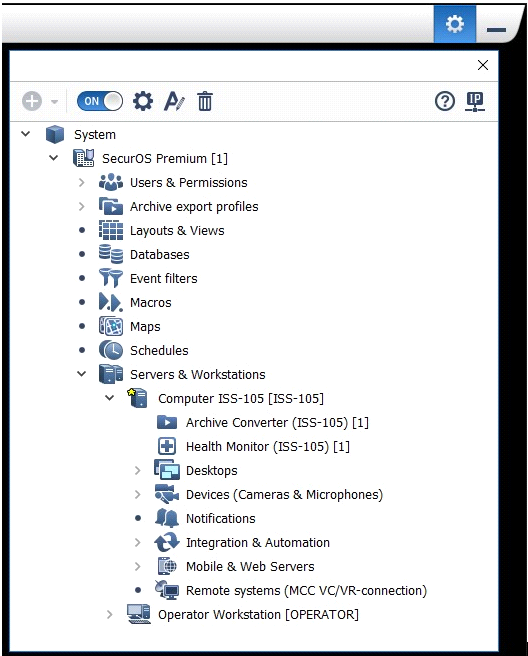
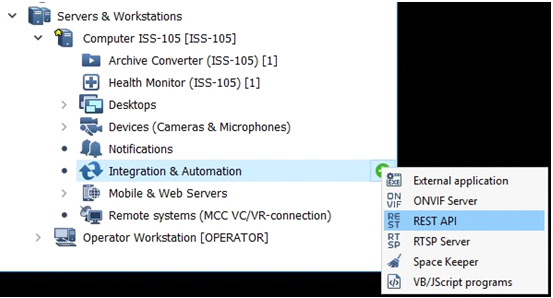
Find Integration & Automation, click the plus (+) button, and click REST API.
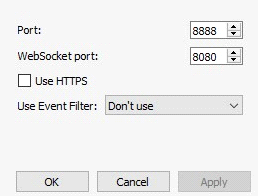
Configure the REST API (the defaults are shown below). If you use a non-default ISS port configuration, the ports need to be set in the plugin's .ini file as described in the ISS Ports section above.
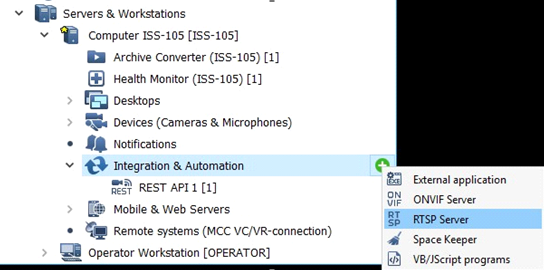
From Integration & Automation, click the plus (+) button, and click RTSP Server.
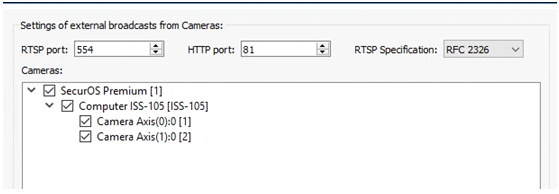
Select cameras.
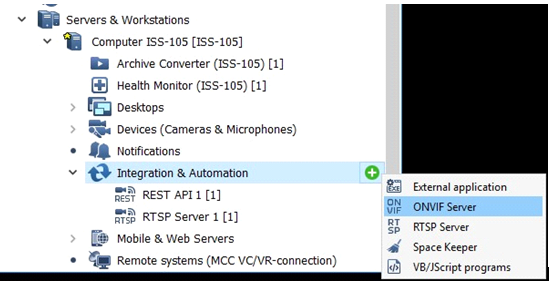
From Integration & Automation, click the plus (+) button, and click ONVIF Server.
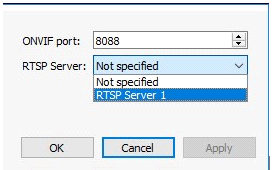
Select the RTSP Server and click Apply.
Sending Alerts to ISS
In the BriefCam Administrator Console’s Environment Settings section, there are three settings relevant for sending alerts outside of BriefCam:
To send alerts outside of BriefCam, set the Respond.AlertsPublishingEnabled setting to true.
To send alerts to a VMS, check that the Respond.AlertsPublishingToVMSEnabled setting is set to true.
To change the polling interval, use the Respond.AlertsPublishingIntervalInMilliseconds setting.
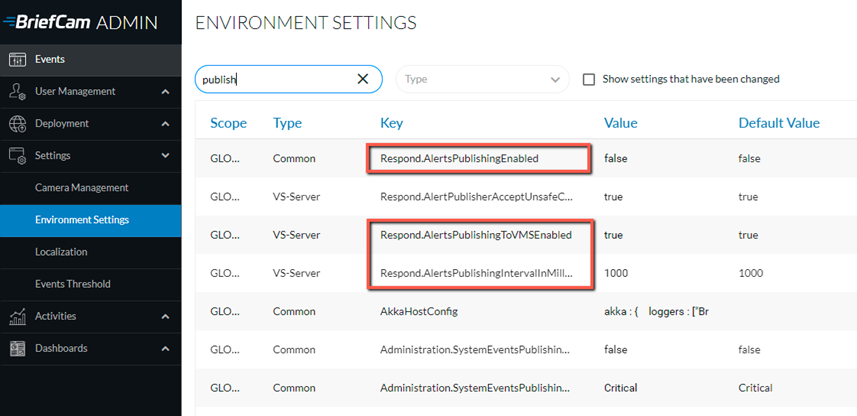
If you make changes to the settings, you need to restart or start the VSServer service.
Known Limitations
For ISS SecurOs 12.0 and 12.1: There is a known vendor-side issue regarding ONVIF authentication. While RTSP authentication (live video streams) and ONVIF authentication for fetching the camera list work correctly, fetching recorded video via ONVIF fails when authentication is enabled.
Workaround: If fetching recorded video is required, the ONVIF service in the ISS VMS must remain without authentication enabled until the vendor resolves the issue.
Bounding boxes when playing the original video are not supported.
For ISS SecurOs 11.6 and below, support for the H.265 format is done per request. If you want to use the H.265 format with this VMS, please contact BriefCam’s support.
For ISS versions 12.0 and 12.1, keep authentication disabled for the ONVIF service in ISS VMS. Due to a vendor issue, enabling authentication prevents retrieval of recorded video from the VMS. The RTSP service is not affected and works correctly with authentication enabled.