Hexagon Qognify Nicevision Integration
Integration Summary
VMS Partner | Product | Version | Last Tested BriefCam Version | Integration Level | H.265 Support |
Hexagon | NiceVision Qognify SVR | 3.2 UP2 | 2024 R2 HF4 | Integration for on-demand and real-time (L2) | Yes |
Hexagon | NiceVision Qognify SVR | 3.2 UP2 | 2023 M1 (Next-Gen engine) | Integration for on-demand and real-time (L2) | No |
Ports Required
The following ports should be available when installing the plugin:
Port # |
80, 500, 2001, 2011, and 50000 |
VMS SDK
Prior to plugin installation, make sure you have the required Qognify SDK installed on the BriefCam Server.
For NiceVision 3.1 you need
PlayerComponent Package_12.1.0.147.exe.For NiceVision 3.2 you need
PlayerComponent Package_12.2.0.133.exe.For NiceVision 3.2 UP2 you need
PlayerComponent Package_12.2.2.193.exe.
The SDK is required to be installed on every machine on which any of the following services is installed: BriefCam Server service, OX6.OnDemand Service, and OX6.RealTime Service.
Integration – Plugin Installation
When installing Qognify NiceVision 3.2, you will be asked to provide the path to the SDK in the Player component path field.
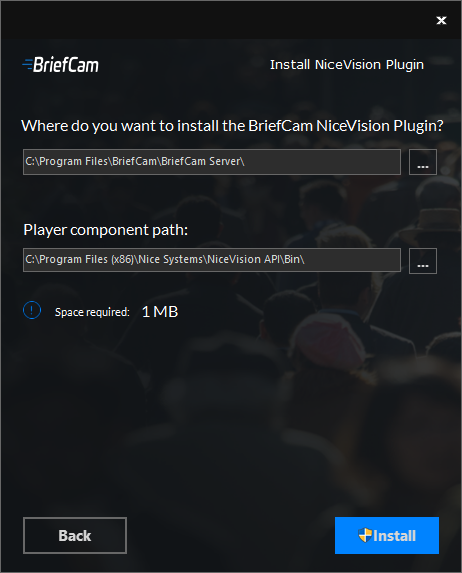
To run a silent installation of the NiceVision plugin, use the following command line:
{ NiceVision Installer file name} /qn APPDIR="C:\Program Files\BriefCam\BriefCam Server\" SDK_PATH="{Path to the NiceVision SDK Player component}"
Known Limitations
Support for the H.265 format is done per request. If you want to use the H.265 format with this VMS, please contact BriefCam’s support.