Vehicle Make and Model Recognition
You can search for vehicles of a specific make and model.
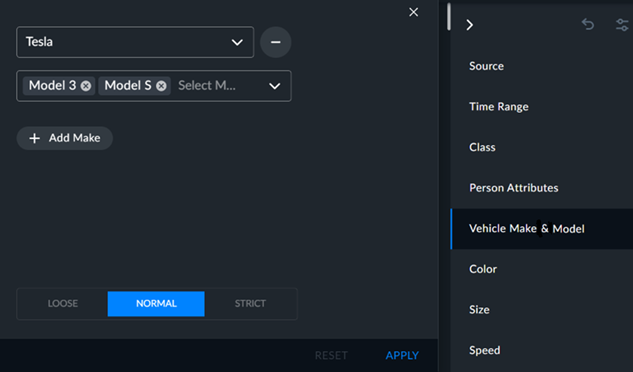
Click the Vehicle Make & Model filter.
Select a make from the drop-down list. You can also type in the name or part of the name of the make to narrow down the selection.
You can add models to the search from the second drop-down list.
You can add additional makes by clicking the +Add Make button.
You can fine-tune your search using the Loose, Normal, or Strict tolerance level. For additional information, see the Filter Tolerance Adjustment section.
To apply your selections to the search, click APPLY.