Fast Track
You can search for an object on surrounding cameras using the Fast Track option. This is currently available with Genetec and Milestone integrations where the camera geolocations have been defined.
To quickly search for an object on surrounding cameras:
Select an object or play an object.
Click the Fast Track
 icon.
icon.If necessary, adjust the distance from the original camera using the slider.
If necessary, adjust the time range that you want to investigate either using the slider or the date picker.
Click APPLY.
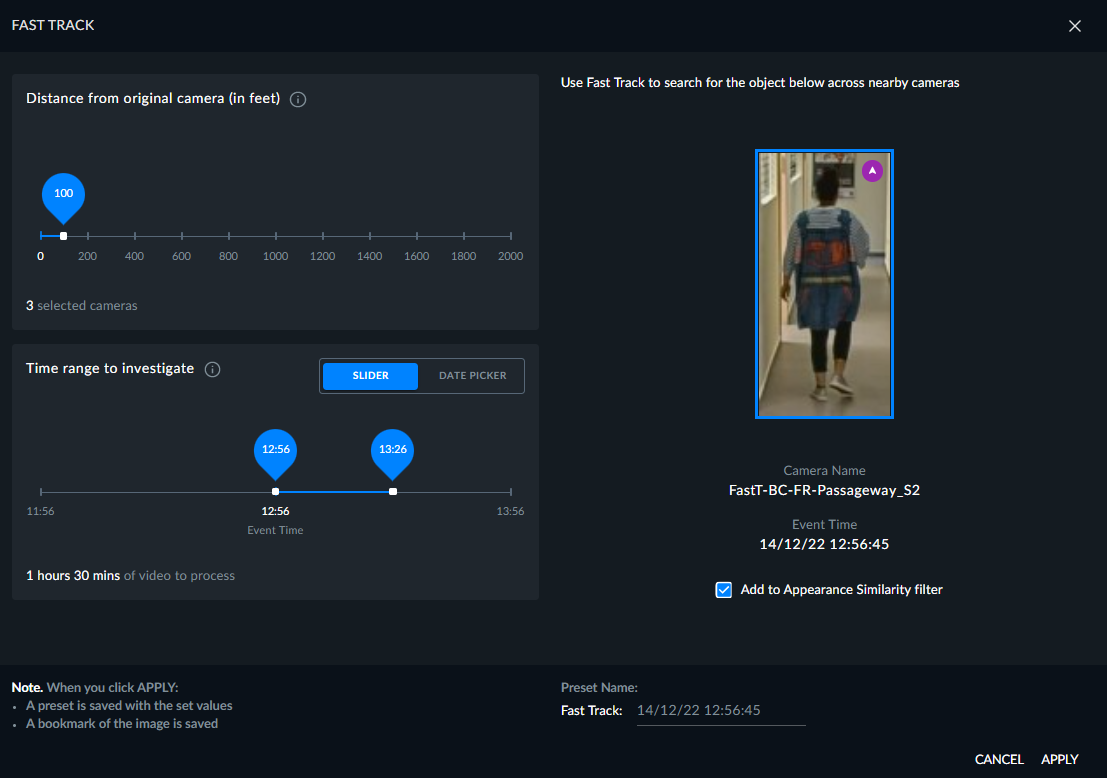
When you click APPLY a preset is saved with the set values and a bookmark of the image is saved.
The default time range is 30 minutes. This can be changed in the FastTrackDefaultTimeRange environment setting.