Creating a Rule with License Plate Recognition
You can create a rule that will issue an alert when a license plate that appears in a watchlist appears in the video or does not appear in the video.
Alerts with License Plate Recognition are available for Smart alerts only.
An alert will not be triggered if:
The quality of the extracted plate is too low to be compared to the watchlist.
A vehicle without an extracted plate, such as a vehicle with no plates.
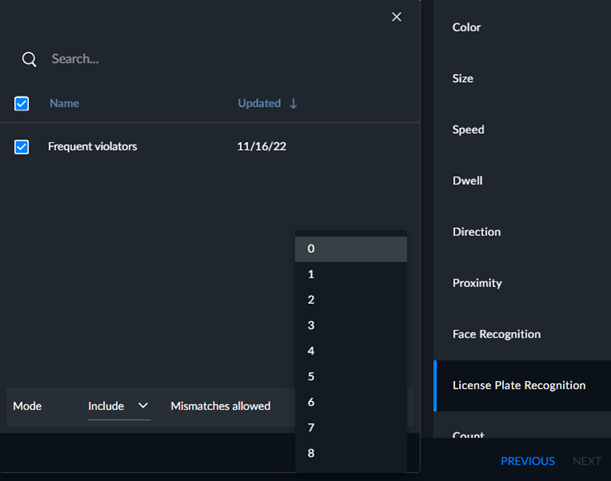
In the Mode field, you can select between two operation modes:
Include (default) – Create an alert if a license plate on the selected watchlist(s) is found.
Exclude – Create an alert if a license plate is found that does not appear on the selected watchlist(s).
In the Mismatches allowed drop-down list, set how accurate the match needs to be to trigger the alert. You can select whether to allow between 0 and 8 mismatched characters in the search. For example, if you select 0, only perfect matches will trigger an alert. If you select 2, plates with 2 mismatches or less will trigger an alert.