Scheduled Tab
BriefCam offers powerful scheduling functionality that enables video review personnel to streamline and automate their work.
Scheduling may be used to initiate VIDEO SYNOPSIS® generation on a one-time basis, or at timed (daily, weekly or monthly) intervals. Scheduled tasks are automatically registered and processed by the BriefCam server queue at the predefined time, with resulting video synopses automatically delivered to their owner’s BriefCam client.
The schedules are defined when adding a video to a case and the SCHEDULED tab displays all scheduled REVIEW sources.
The Last Run column shows the start date and time of the last processing.
The Next Run column displays the date and time of the start of the next processing.
When hovering over a schedule, you can click the edit icon ( ) to edit the schedule. Changes will apply from the time of change forward. Past runs are not deleted.
The disable scheduling icon will prevent any future run of the source. It will not delete past runs.
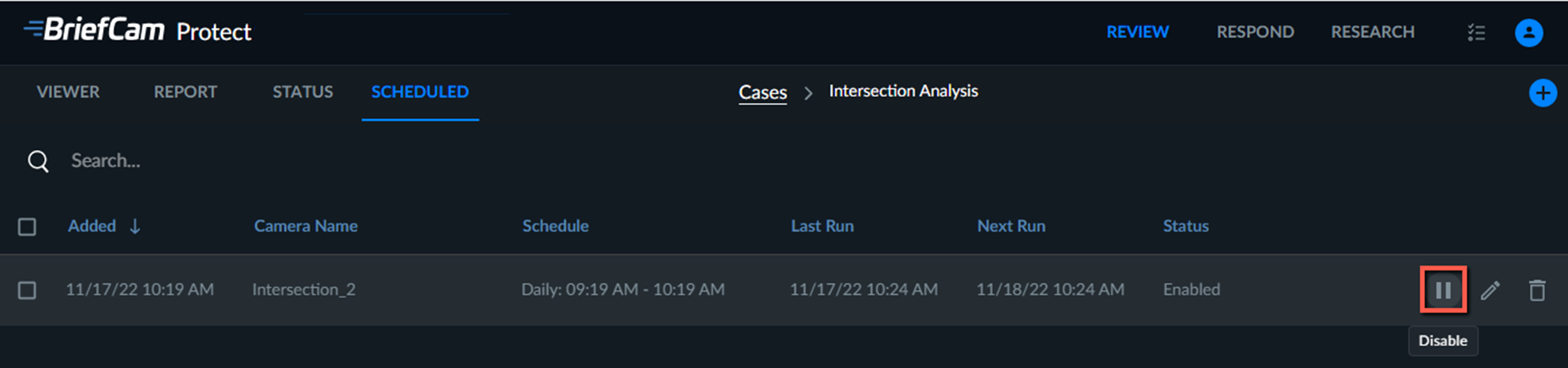
Each scheduled source represents the scheduling and not an actual run of the source (the processing). Processing requests are located in the STATUS tab.