Why am I getting a Respond get live image timeout?
The Respond get live image fails when there is no recorded archive and increasing the timeout did not work.
To increase the Respond get live image timeout:
In the BriefCam Administrator Console, increase the Live.MaxGetLiveImageRetries environment setting from
300to1200.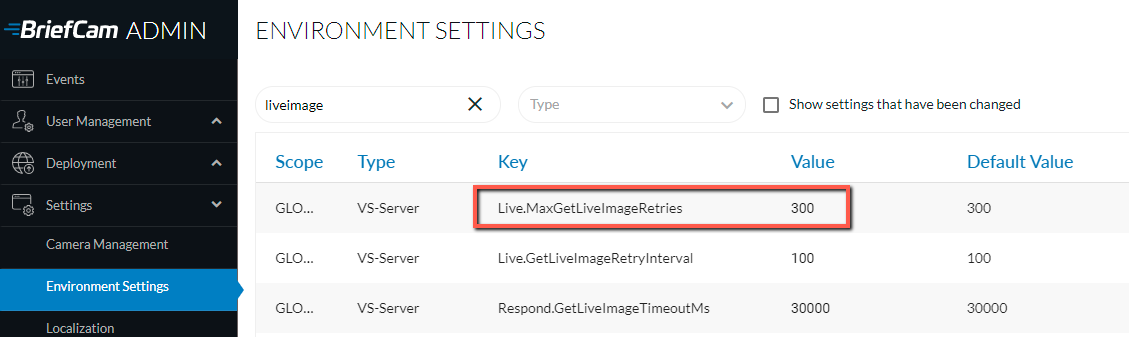
Open the Windows services and restart the VSService and the World Wide Web Publishing Service (IIS) by right-clicking on the services and clicking Restart.