How come I can't restart the BriefCam VSService?
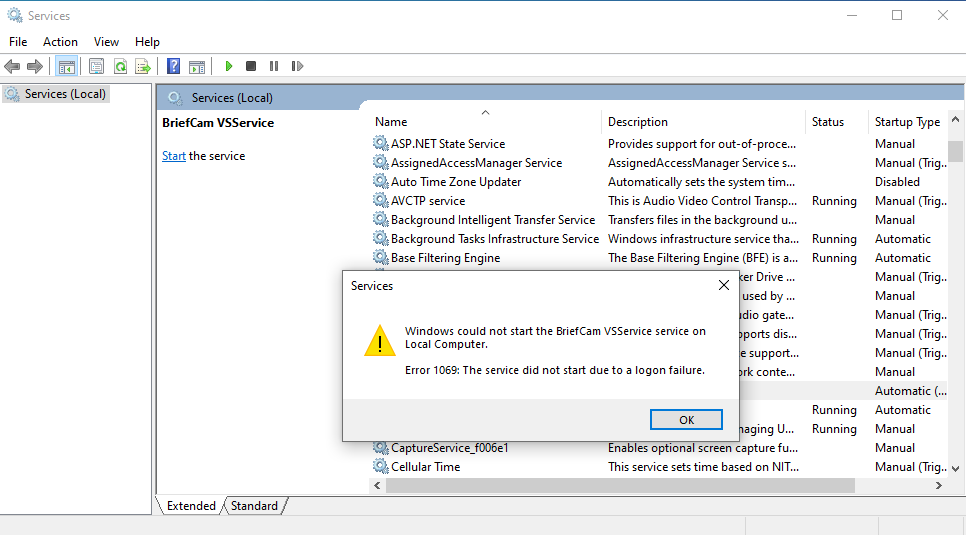
I tried starting the BriefCam VSService from Windows Services, but it did not start and the following message appears:
Windows could not start the BriefCam VSService on Local Computer. Error 1069: The service did not start due to a logon failure.
This can occur, for example, if the DB administrator in your organization changed all passwords for security reasons.
To solve this issue:
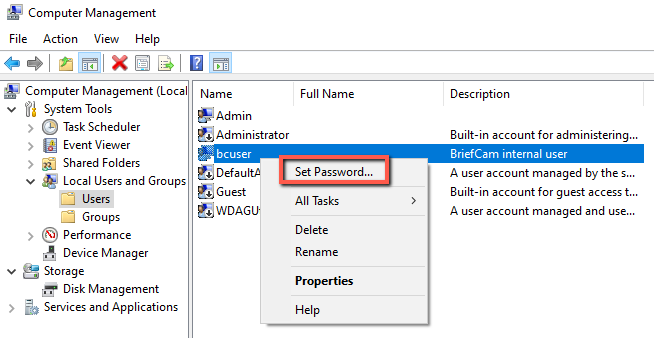
In the Computer Management screen, find the BriefCam user (bcuser in the image below).
Right-click on the user and select Set Password.
Reset the password back to the password you used when installing BriefCam.