The qlik_migrate tool returned a fail message. What should I do?
When upgrading to BriefCam 2024 M1, running the qlik_migrate tool is required for environments using RESARCH.
If the qlik_migrate tool fails, do the following:
From the
ResearchQvdfolder (located by default at:C:/QlikShare), delete the following:BC_BI_SOURCE_MATCH_1folderBC_BI_SOURCE_MATCH2folderexpected_migration.txtfile (if it exists)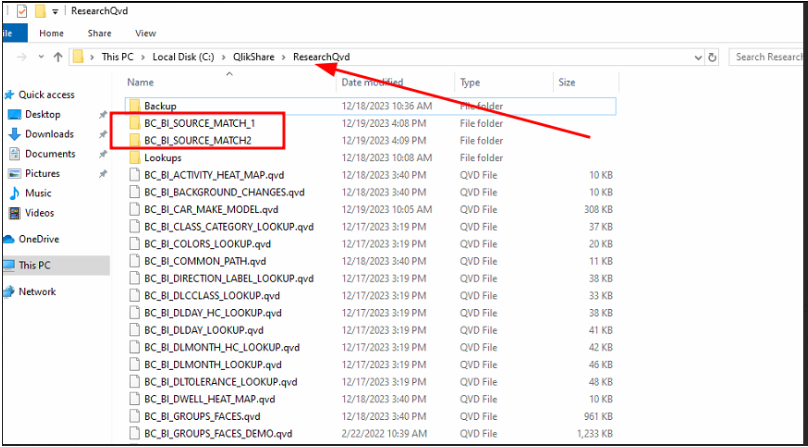
Copy the
FILES_MAX_TIMESTAMP.qvdfile from theC:\Program Files\BriefCam\RESEARCH\folder and save it toC:\QlikShare\ResearchQVD– replacing the existing one.Re-run the
qlik_migratetool.