Preloading RESEARCH Apps
You can preload the Aggregated and Detailed apps to improve loading times. This is especially useful for RESEARCH environments with large datasets that would otherwise take minutes to load.
To activate this functionality:
Connect to https://ResearchServerName/qmc with the Qlik admin user.
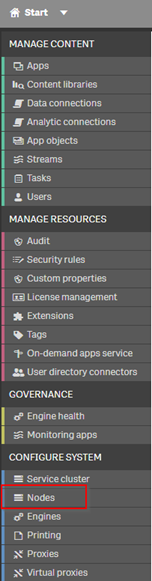
Click on Nodes (in the CONFIGURE SYSTEM section).
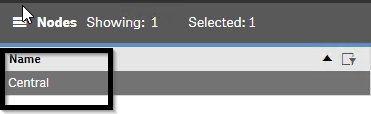
Double-click on Central.
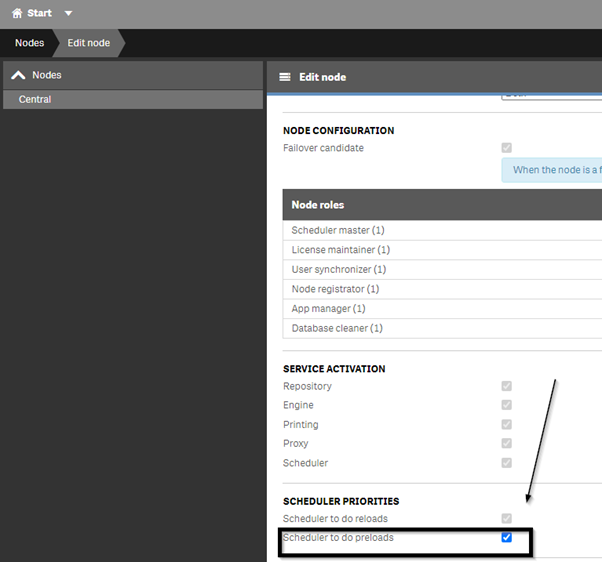
Check the Scheduler to do preloads check box and click Apply.
Click on Start to go back to the main QMC screen.
Click on Tasks (in the MANAGE CONTENT section).
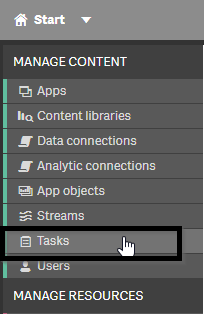
Click the Preload task button.

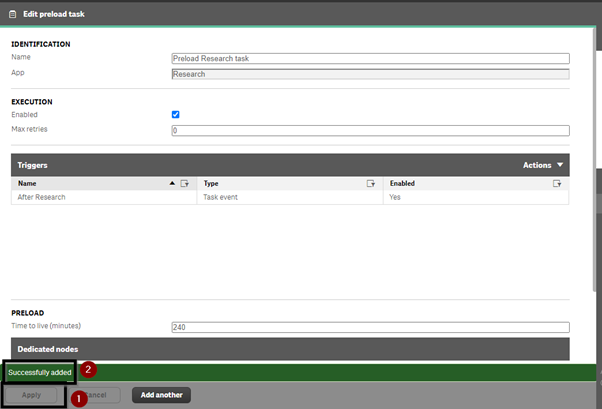
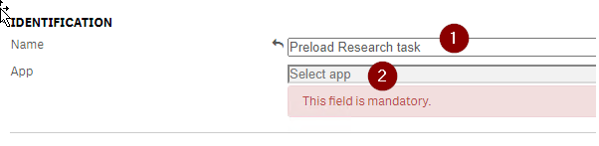
Give the task a name, such as ‘Preload Research task’ or ‘Preload Research-Aggregate task’.
Click on Select app.
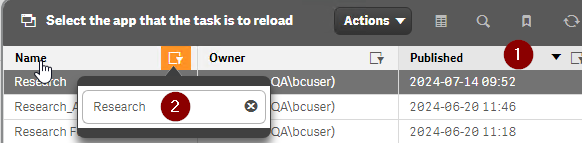
Click on Published to order by Published App.
Filter by name – ‘Research’ or ‘Research _Agg’ as needed, and click OK.
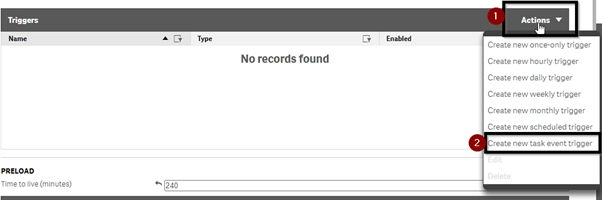
Click on Actions and then select Create new task event trigger.
Give the trigger a name such as After Research or After Research_Agg and click Add task.
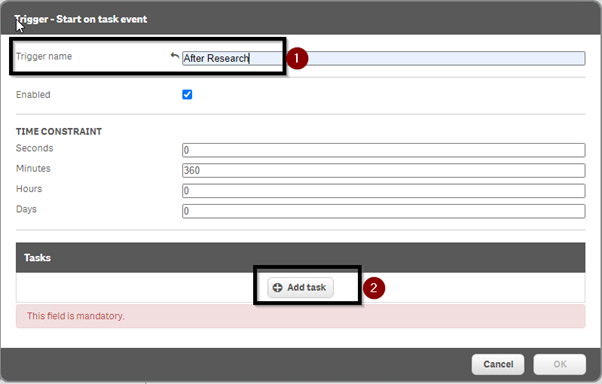
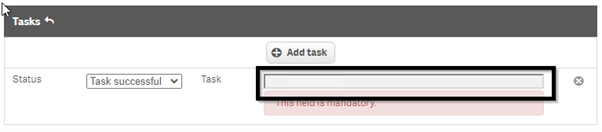
Click on the Task tab.
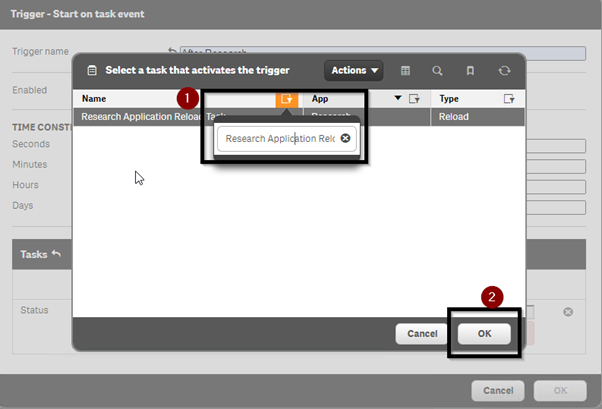
Filter on ‘Research Application Reload Task’ for the Research App, or ‘Research_Agg Application Reload Task’ for the Research_Agg App.
Click OK and click OK again.
Click Apply and see the Successfully added message.