RESEARCH Dashboard Chart Defaults
The following environment settings control defaults in the RESEARCH module.
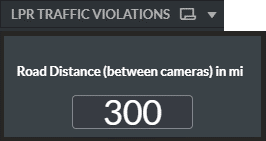
RESEARCH.LPRTrafficViolationsRoadDistance – Sets the default value for the Road Distance input in the LPR Traffic Violations dashboard. The default value is 300.
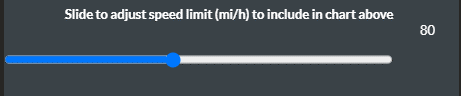
RESEARCH.LPRTrafficViolationsSpeedLimit – Sets the default value for the speed limit slider in the LPR Traffic Violations dashboard. The default value is 80.
RESEARCH.TrafficViolationsSpeedLimit – Sets the default value for the speed limit slider in the Traffic Violations dashboard. The default value is 60.

RESEARCH.CheckoutAnalyticsAllowedPeopleLimit – Sets the default value for the Maximum Allowed People slider in the Checkout Analytics dashboard. The default value is 10.

RESEARCH.ProximityLimitMeter – Sets the default value for the proximity limit slider in the Proximity Analytics dashboard when then the localization is set to metric. The default value is 2.
RESEARCH.ProximityLimitFeet – Sets the default value for the proximity limit slider in the Proximity Analytics dashboard when then the localization is set to imperial. The default value is 6.

RESEARCH.BouncedVisitorsDurationLimit – Sets the default value for the Bounced Visitors Duration slider in the Unique Visitors Analytics dashboard. The default value is 1 minute. The slider can be changed by increments of 0.1, with 0.1 meaning 6 seconds, 0.5 meaning 30 seconds, 5.1 meaning 5 minutes and 6 seconds, and so on.

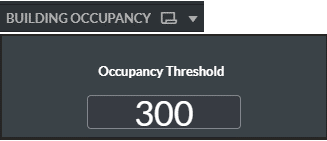
RESEARCH.OccupancyThreshold – Sets the default value for the Occupancy Threshold input in the Building Occupancy dashboard. The default value is 300.
RESEARCH.OccupancyOffset – In the Building Occupancy dashboard, this setting can be used as an occupancy offset input within occupancy expressions. The default value is 0. The following is an example of an expression for cumulative calculation (the number of people currently in the building plus the value from the RESEARCH.OccupancyOffset environment setting):
= (rangesum( above( count({<[Class Category ID]={0}, [Path & Area]={'Entering'}>} ObjectID),0,rowno()))- rangesum( above( count({<[Class Category ID]={0}, [Path & Area]={'Exiting'}>} ObjectID),0,rowno()))) + $(vOccupancyOffset)RESEARCH.CustomVar1, RESEARCH.CustomVar2,...RESEARCH.CustomVar20 – These placeholder settings can be used for different needs within different dashboards. The default values are 0.
Caution
This functionality is not applicable for sites. It is only relevant for the Hub and in standalone deployments.