

Adding a Management Server
This process only applies to OnGuard versions 8.1 and up.
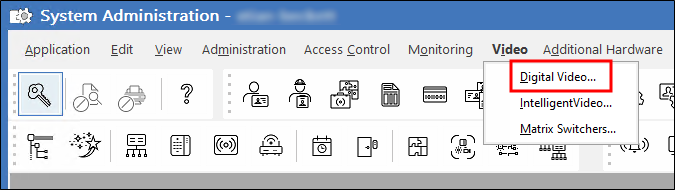
- In the Auxiliary Services tab click the Add button to start configuring theMilestone XProtect Management Server connection.
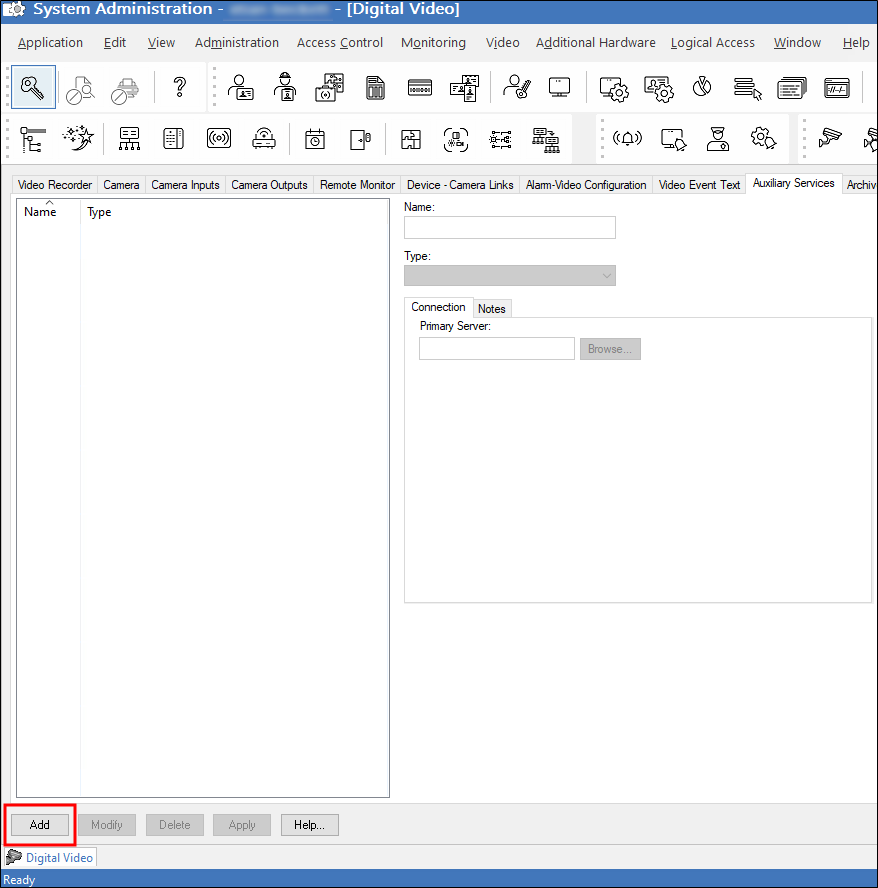
- Choose any name for the server, open the Type list and choose XProtect Management Server.
-
Enter the DNS name for the Milestone XProtect Management Server, provide a username and password for the administrative level XProtect user facilitating the authentication through the OnGuard integration, and click OK to save the configuration.
If you are using theOnGuard Web Video Package there will be additional fields in the Auxiliary Services menu. These are not required for connection. Also, you do not need to enter a port number for the connection to work the port for authentication is 80 or 443 by default. Lastly, if you add multiple Milestone XProtect Management Server to OnGuard, when you add a second server after adding the first, you will need to clear the connection settings as they will be retained from the first entry.