从视频播放中删除不必要的摄像机Last Updated: 2026年9月11日1 minute read版本2026r1语言中文(简体)PDFSave all topicsSave this topicSave this topic and sub-topics“在播放视频之前,我想删除在我指定的时间长度内不包含任何记录的摄像机。我怎么能这么做?”在“调查”选项卡上,如果您:将鼠标悬停在摄像机上,然后在右上角单击。在侧面板上,单击。在侧面板上,双击要删除的摄像机。

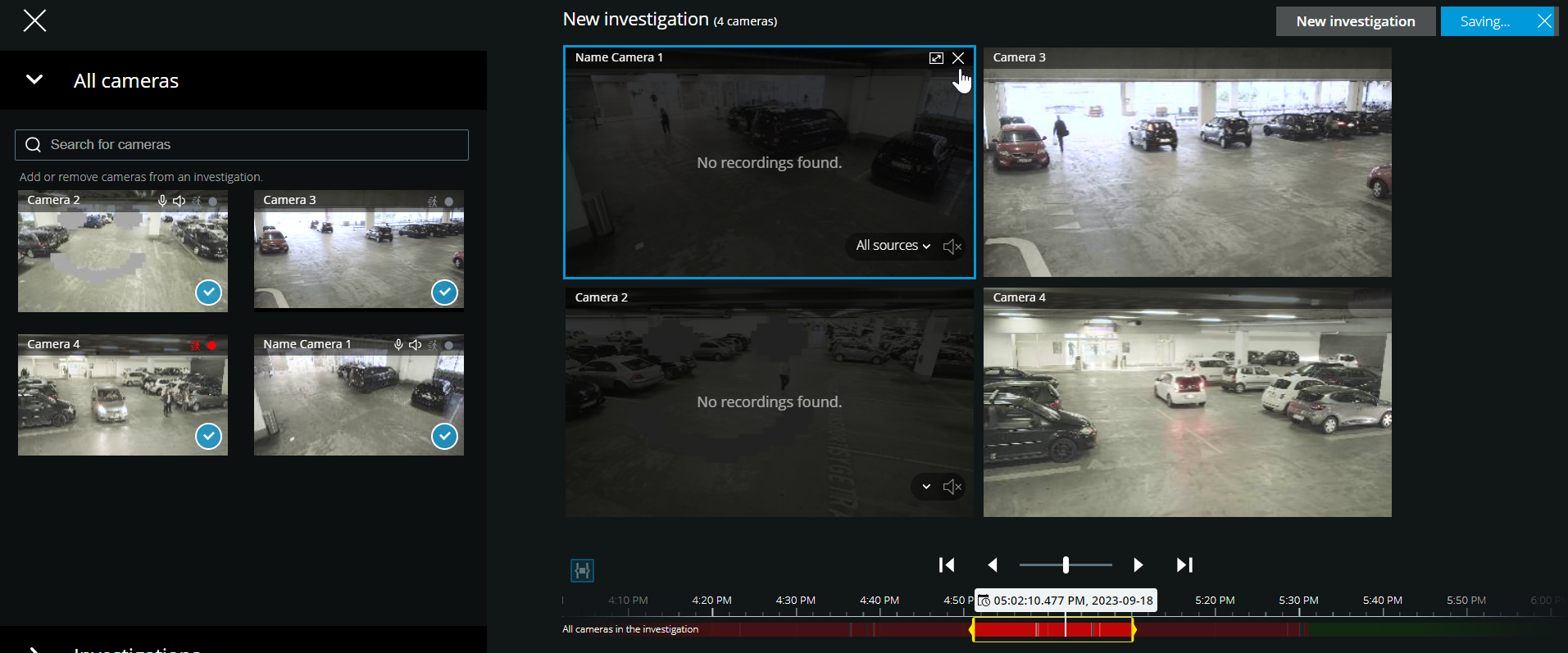
 。
。 。。。
。。。