View exported video
To view the exported video immediately after creating it:
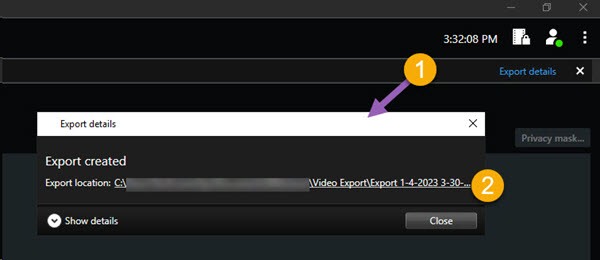
In the upper-right corner of XProtect Smart Client, select Export details.
In the Export details window > Export location field, a link shows the location of the output folder.
Click the link to open the output folder and to access the exported files.
If you exported video at a previous point in time:
Go to the folder where you store exports. The default location is
C:\Users\[username]\Documents\Milestone\Video Export. You can check the folder location in the Create export window > Export destination field. This works only if you always use the same export destination.Depending on the output format, open the relevant folder and double-click the video file or still image. If the format is XProtect format, double-click the Smart Client – Player file with the .exe extension.