Print surveillance report from single cameras
You can print single still images and related information from live cameras or from recorded video. Notes that you add are also printed.
To print a recorded still image, switch to playback mode.
To print a live still image, switch to live mode.
Open the view that contains the camera you are interested in.
Hover over the view item. The camera toolbar appears.

Click the
 icon. A window appears.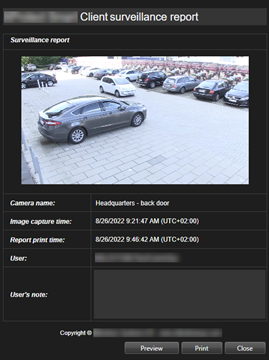
Add notes if required.
Click Print. The Windows Print dialog appears.
If necessary, change the print settings and print. Otherwise, just click Print.
Tip
You can also print information about alarms if your organization uses the alarm handling features. See Alarms.