Play back video with evidence locks
You can always play back video in playback mode regardless if the video is protected or not. If you want to play back video sequences that are included in a specific evidence lock, do the following:
Switch to playback mode.
In the upper right corner, click Evidence lock and select View.
If you want to stay in live mode instead of in playback mode, select Evidence lock on the global toolbar.
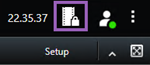
A list of existing evidence locks with devices that you have permission to access appears.
Select an evidence lock and click Play back. A new window opens and you can see a view with all the cameras in the evidence lock.
Use one of the timeline controls to go to a specific time or simply click Play forward.