Locate cameras while searching
If your VMS system is configured to use smart map, you can view the geographical location of the cameras in a smart map preview while searching for video and related data.
Steps:
Select the search result that you are interested in.
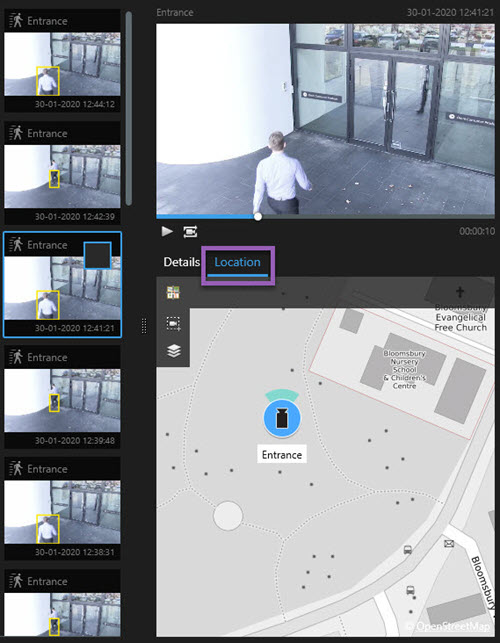
In the preview area, click Location. The camera is displayed in its geographic context.
To get an overview of the surroundings, you can zoom out with the scroll wheel on your mouse, or if the camera is a PTZ camera, you can pan.
To return to the camera, click
 Re-center.
Note
Source cameras and related cameras are defined in XProtect Management Client as part of the alarm definition.