Go to a defined location on a smart map
To quickly access specific areas, you can jump to defined locations on a smart map.
Select the view that contains the smart map.
In the upper-left corner of the view, open the Select a location list. If you have already selected a location, the location is displayed in the list.
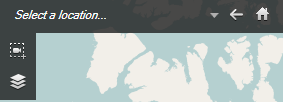
Select a location in the list to go to that location on the smart map.