Enable detailed bookmarks
To efficiently manage and search for your bookmarks, you can enable a setting that allows you to give your bookmarks a name and a description and to change the default time span for bookmarks.
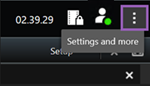
On the global toolbar, select Settings and more
 and then Settings
  .
.
Select the Functions tab.
To enable detailed bookmarks for live video, locate the row with the Bookmark function in Live mode and change the setting to Add bookmark details.
To enable detailed bookmarks for recorded video, locate the row with the Bookmark function in Playback mode and change the setting to Add bookmark details.
Click Close to save the changes.