Create a view
To create new views with different layouts and content combinations:
On the Views pane, select the view group to add the view to.
At the bottom of the Views pane, select Create new view
 .
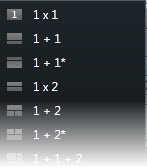
.Choose a layout and number of view items.
Name the view.
Note
If your system administrator changes camera properties and user permissions in the XProtect VMS system, it may require you to re-create one or more views.