Adjusting export settings
When you have added at least one video sequence to the Exports tab > Export list, you must also select at least one export format. See Types of formats for exports. Optionally, you can adjust export settings. See Export format settings.
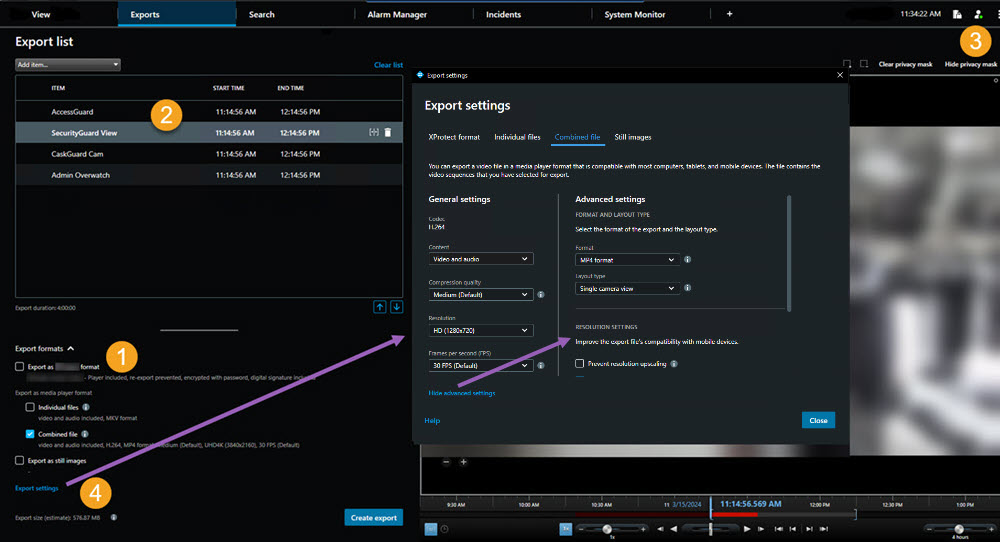
Under the Export list, select at least one export format.
For each video sequence on the Export list, you can change the Start time and the End time.
You can add privacy masks to video sequences to cover different video areas. See also Add privacy masks to recordings during export.
For each format, you can change the Export settings.