Add a text and an image to a view
You can add text content and still images to view items inside a view.
For example, you might want to send a message or instructions to operators or post a work schedule for security personnel. The character limit is 1,000 characters. An still image can, for example, be a snapshot of a suspect or a map with emergency exits.
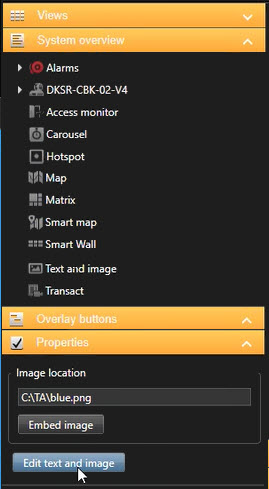
On the System overview pane, drag the Text and image item to a view item.
In the editor, enter a text and add a relevant image file.
To make the image available to others, on the Properties pane, select Embed image. The file is now stored in the system.
To change your text or change the image after you have saved, select Setup again, and then select Edit text and image on the Properties pane.
Note
You can insert tables from products such as Microsoft Word and Microsoft Excel, but you cannot make changes to them.