Failover steps
In a typical scenario, you install these components on both nodes:
XProtect management server
XProtect event server
OpenTelemetry bundle
XProtect Management Server Failover
XProtect API Gateway
XProtect recording server (optional)
SQL Server (optional)
The failover steps in a typical scenario are:
The management server, event server, and SQL Server run on Node 1 (in PRIM state). If you have installed SQL Server on the nodes, XProtect Management Server Failover replicates the data from these system components on Node 2 (in SECOND state).
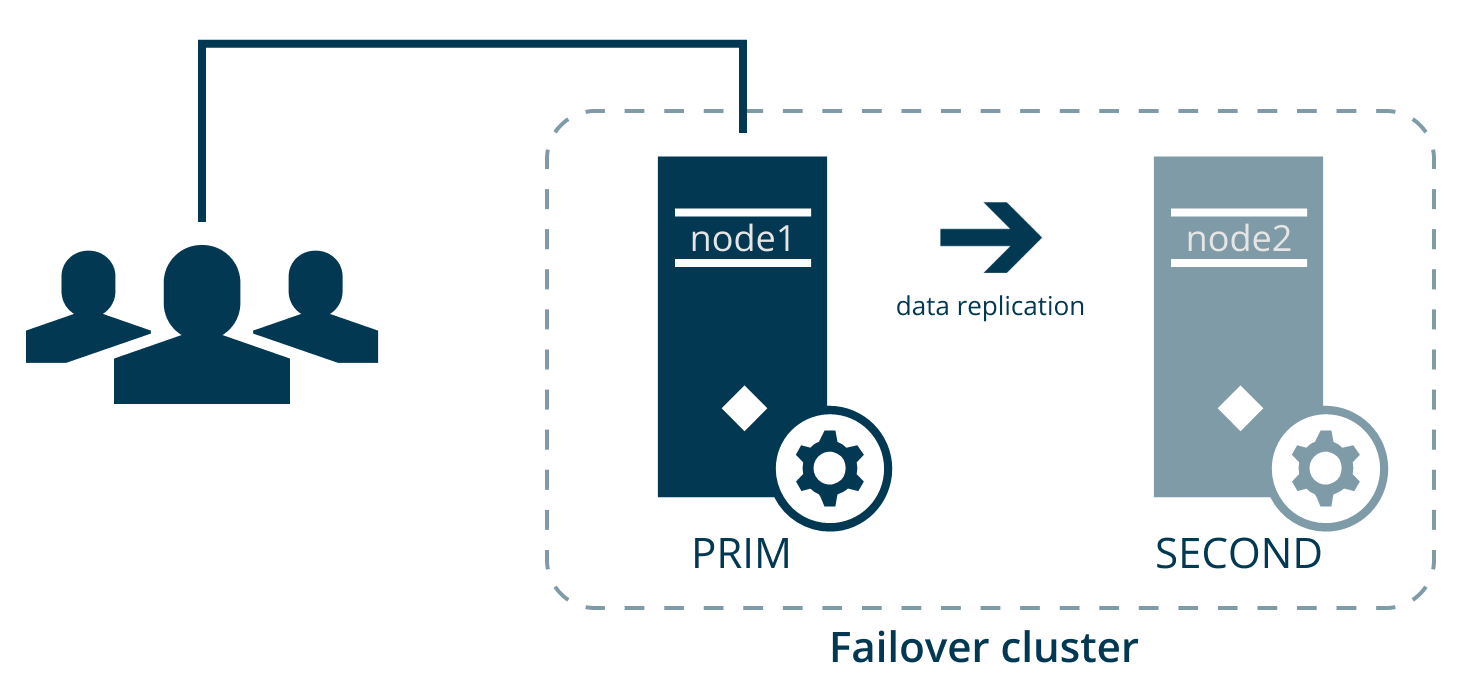
Every second, the nodes exchange heartbeats.
If the management server on Node 1 becomes unavailable for 30 seconds, Node 2 takes over.
The failover time depends on the startup time of the Management Server service.
Node 2 comes into ALONE state, and the data replication stops.
The Management Server, Event Server, and OpenTelemetry Collector services, and the SQL Server instance start running on Node 2.
Management Server, Event Server, and OpenTelemetry Collector services store data on the SQL Server instance on Node 2.
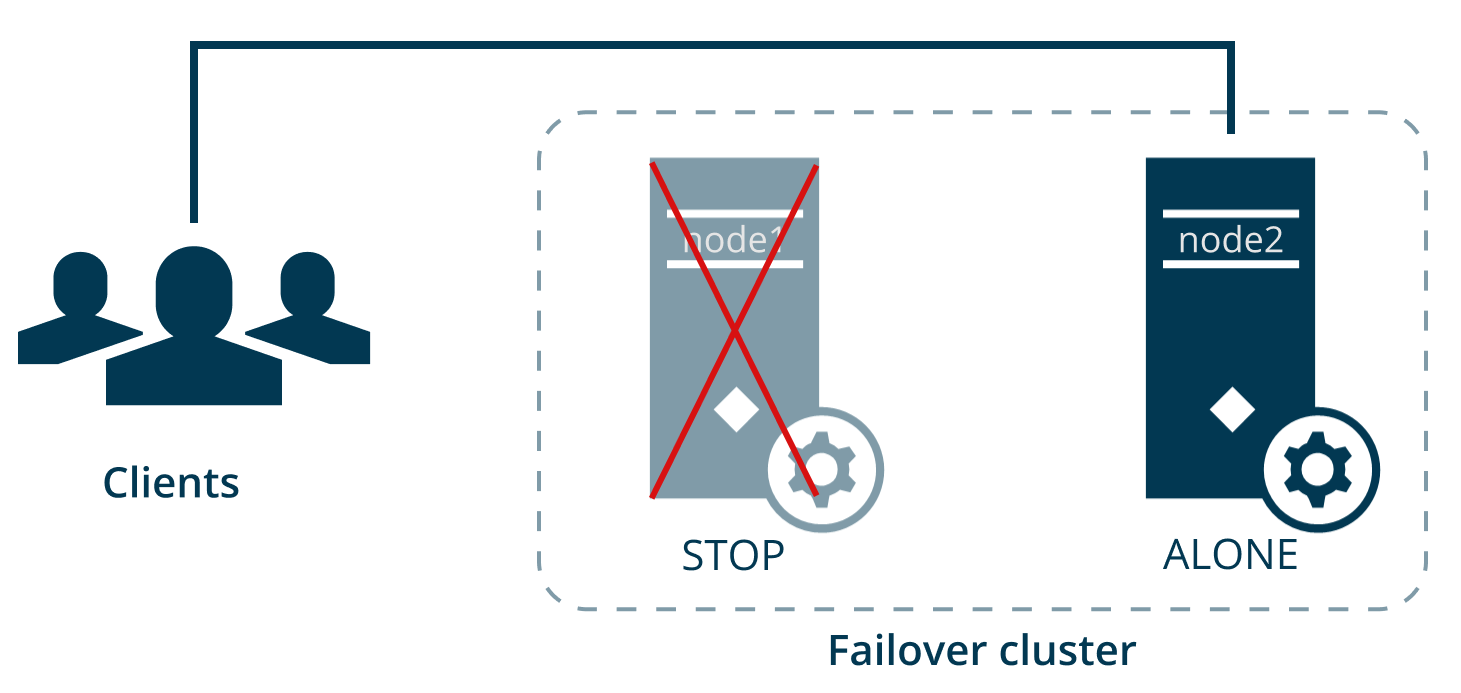
You identify and fix the issue that caused the failover and start Node 1 from the failover web console. The data that was modified on Node 2 replicates to Node 1.
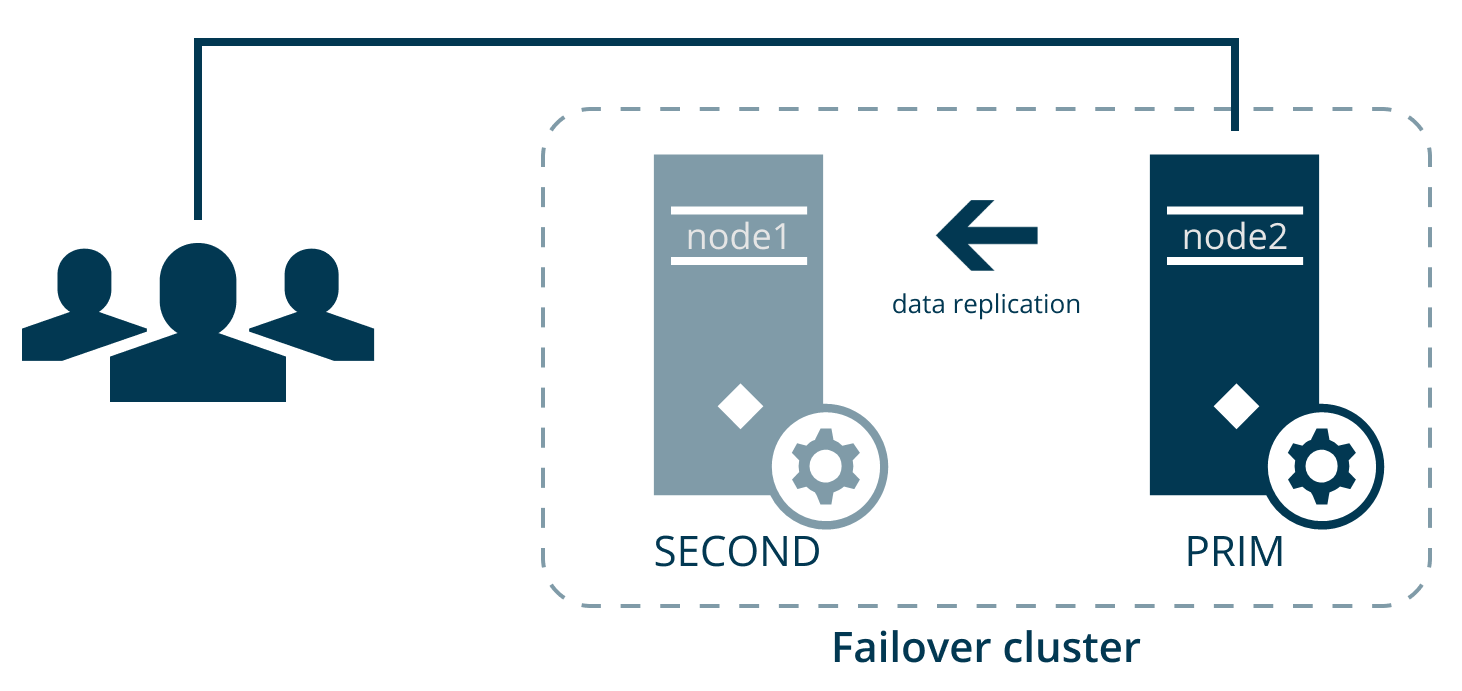
The VMS system components still run on Node 2 (in PRIM state), and the data replicates on Node 1 (in SECOND state). If needed, you can swap the states of the nodes from the failover web console.