启用Bing Maps或Google Maps XProtect Smart Client
允许 XProtect Smart Client 让操作员使用不同的金钥,而不是其中的金钥 Smart Client 设定档中,您必须在设定中输入金钥 XProtect Smart Client.
步驟:
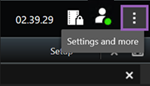
在 XProtect Smart Client,打开“设置”窗口。
按一下“智慧地图”。
根据您要使用的地图服务,执行下列其中一个动作:
若为Bing Maps,请在 Bing Maps 金鑰 栏位。另請參閱与Bing Maps整合的智慧地图。
若使用Google Maps,请在下列位置输入金钥 Google Maps 的私人金鑰 栏位。另請參閱与Google Maps整合智慧地图。