在以下对象中启用 Bing 地图或 Google 地图:XProtect Smart Client
要允许 XProtect Smart Client 操作员使用与 Smart Client 配置文件中的密钥不同的密钥,必须在 XProtect Smart Client 的设置中输入密钥:
步骤:
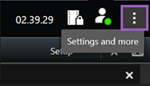
在 XProtect Smart Client 中,打开设置窗口。
单击智能地图。
根据要使用的地图服务,执行下列操作之一:
对于 Bing 地图,请在 Bing 地图密钥字段中输入密钥。另请参阅将智能地图与 Bing 地图集成。
对于 Google 地图,请在用于 Google 地图的私钥字段中输入密钥。另请参阅将智能地图与 Google 地图集成。