啟用Bing Maps或Google Maps XProtect Smart Client
若要允許操XProtect Smart Client作員使用與設定檔中的金鑰不同的金鑰,Smart Client您必須在中的設定中輸入金鑰XProtect Smart Client。
步驟:
在XProtect Smart Client中,開啟設定視窗。
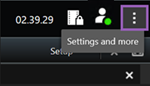
按一下“智慧地圖”。
根據您要使用的地圖服務,執行下列其中一個動作:
若為Bing Maps,請在Bing Maps金鑰欄位輸入您的金鑰。另請參閱與Bing Maps整合的智慧地圖。
如為Google Maps,請在Google Maps的私人金鑰欄位輸入您的金鑰。另請參閱與Google Maps整合智慧地圖。