Set up a secure connection to the hardware
You can set up a secure HTTPS connection using SSL (Secure Sockets Layer) between the hardware and the recording server.
Consult your camera vendor to get a certificate for your hardware and upload it to the hardware, before you continue with the steps below:
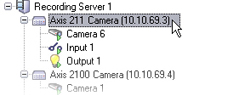
In the Overview pane, right-click the recording server and select the hardware.
On the Settings tab, enable HTTPS. This is not enabled by default.
Enter the port on the recording server to which the HTTPS connection is connected. The port number must correspond with the port set up on the device’s homepage.
Make changes as needed and save.